Jul 6, 2020 | 3 Min Read
Invest in Design and Performance: Part 3 of Building a Successful Ecommerce Business
How to Build a Successful eCommerce Business: Part 3 Invest in Design and Performance
Mobile Design First
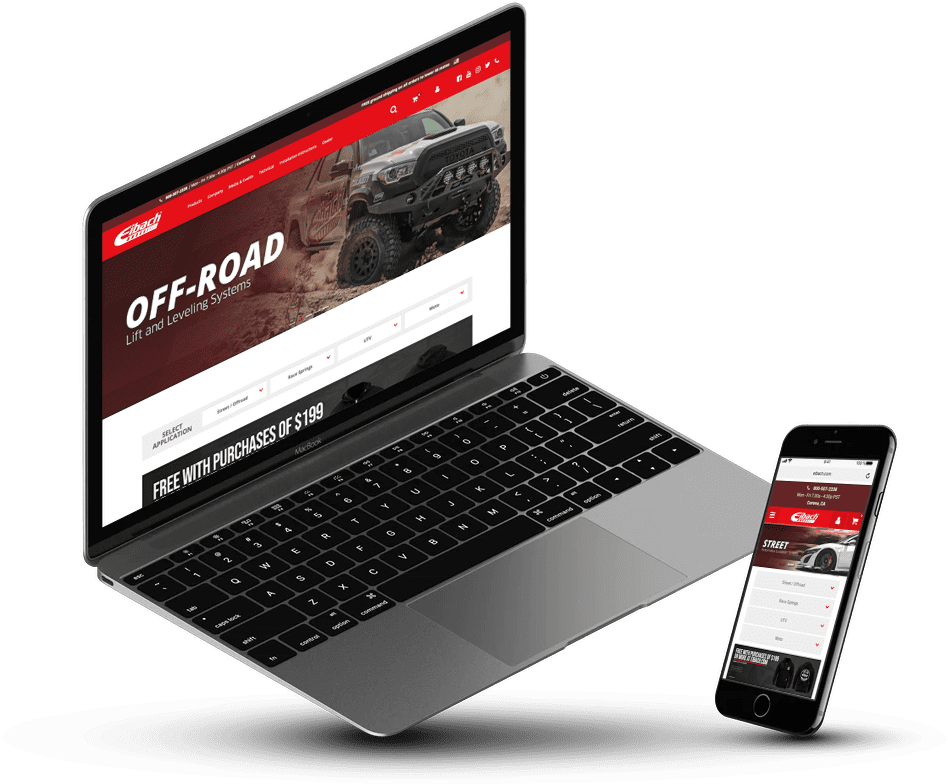
Now that you have your eCommerce platform and a solid understanding of your target audience and market position, it’s time to design your site. As of summer 2020, roughly half of all global web traffic came from mobile devices, so choose a responsive template.
Professional Design and Branding
If you don’t have an existing business, you need to establish brand guidelines. A strong brand has the power to build loyalty and trust. Your brand guidelines should include everything from logo and photo stylings to brand colors and fonts, and every element of your site should be designed to meet these brand standards.
Detailed Product Descriptions
Product descriptions serve two purposes for your eCommerce site. First, they provide information to the user, answering any questions they may have. They also draw shoppers to your site via Search Engine Optimization (SEO). SEO involves conducting keyword research and sprinkling the keywords across your site and in product descriptions so Google knows what customers can expect to find on your site. Provided your keywords match your offering and your content is structured properly, your search engine rankings will improve, meaning more traffic to your site. So informative, captivating and keyword-rich product descriptions are key to reaching new customers.
Quality Product Photos
If copy pulls customers in, product photos seal the deal. Product photos are a huge factor in driving customers to make a purchase, so it’s not an area to skimp. In addition to multiple photos of the product, try to include photos of the products being used to show its functionality.
Social Proof and Reviews
When building out product pages, it’s always smart to include product reviews and testimonials to serve as proof points and instill trust in your products. To better upsell and cross-sell, consider including a section on the product and checkout pages to promote related products.
Site Speed and Performance
Once the site is live, test it using your platform’s built-in analytics tools to iterate and improve the user experience. One of the first things to look at is page load speed. A fast site is critical to keeping users on the page and should be tested often. Also look at traffic flow to see where you’re losing customers and how to fix those pages to move customers through the funnel. Speaking of pages, look at your top-performing and lowest-performing pages to determine what’s working and what’s not and make adjustments as necessary. Finally, look at abandon cart rates and remove as much friction as possible from the checkout process. Generally speaking, the fewer clicks and form fields the better.
Quick Links: How to Build a Successful eCommerce Business
Part 1: Establish Your Strategy
Part 2: Choose an eCommerce Platform
Part 4: Drive Customers to Your Site
Get more from Web Shop Manager in Google Search:



Get in touch with us
Reach out to us for any inquiries or support, and let’s connect!


More On Related Topic
Explore our highlighted blogs for the latest insights and trends in the industry.
SEO Tips and Tricks Part 2: Creating a Powerful Social Media Plan
Web Shop Manager - Building A Social Media PlanAs with anything that grows and evolves at a rapid pace, the internet and the way it affects marketing has changed quite a bit in the past few...
Utilizing SEO Part 3: Creating Unique Content and Optimizing Keyword Density
Creating Unique Content | Web Shop ManagerThe final blog post in our Utilizing SEO series: Creating Unique Content and Ensuring Optimal Keyword DensityThe last two weeks have covered basic SEO definitions and conducting keyword...
Why is blogging critical for your eCommerce website’s success?
Simply creating a website that is designed to generate conversions is not enough to make your business thrive in the way you want. While a solid design and user interface is the first and...

Ready To Grow Your Business?
Ready to grow your aftermarket eCommerce presence and lift conversions across auto, truck, powersports, marine, and more? Connect with
Web Shop Manager for tailored solutions: strategy, platform, and performance in one team.