Mar 1, 2012 | 4 Min Read
User Interface Design: How to Cater Your UI to the User
User Interface Design – Focus on the User Experience
User interface design, or user centered design, is simply designing an application or software program while focusing on the experience it will present to the user. It’s a concept that’s easy to understand and agree with, but can be somewhat tricky to implement. When it comes to web design, the reason why it can be problematic is that it’s difficult to find the right balance between aesthetics and functionality. As challenging as this can be, it is also a crucial factor in whether or not a website will be truly successful. The user is the one that is ultimately deciding if they want to stay on your page, or find whatever it is they’re looking for elsewhere. This leads us to the conclusion that the user needs to be on your mind throughout the entirety of the design process. There are a variety of design aspects users have come to expect during their internet browsing escapades, and some that will often times drive them away from your site. Here are some basic features you should include and some you should avoid:
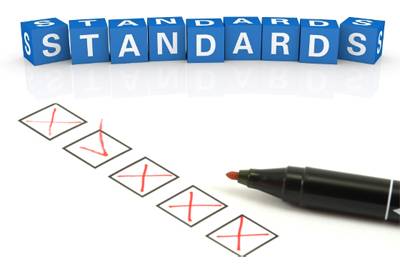
Website Design UI DO’S:
-
Try to keep some semblance of redundancy in the navigation layout on any website you design. If a user goes to a page on the site and all of a sudden the entire menu layouthas changed, there’s a very good chance they will get frustrated and leave. Keeping the users satisfied with their browsing experience is extremely important; if the layout of the website drives people away, then you have not done your job as a Web Designer. Paths to important information need to be easy to find, clear, and consistent throughout the entire site.
-
Make sure the calls to action for the company are properly placed on each page and stand out against the rest of the content, much like you would do for the website logo. A call to action, or a form that allows users to contact the company, is arguably the most important aspect of certain websites. The reasoning behind this is simple: the content on the site can be perfect, but if there’s no way for a potential customer to contact you, what will they do? Most likely, they will leave and find the next best option.
-
Make the entire website an easy read. In order to fully grasp this concept, you need to understand the ways in which people browse the internet nowadays. First of all, the patience of the average user is not very high. If someone arrives at a website and can’t figure out how to navigate through it, or is overwhelmed by cluttered content, more often than not they will leave. Don’t overstuff the pages with excessive amounts of pictures or walls of text. The text that is written on each page should be easy to follow and concise.
Website Design UI DON’TS:
-
Do not use unclear link text anywhere on a website. Links are meant to assist users in their navigation and guide them to where they want to be, if it’s difficult to discern between a link and the regular text then you aren’t giving your users the best possible experience. In order to increase conversions, customers need to be able to enjoy their experience.
-
Avoid using pop-ups for the sole purpose of presenting content; respect the user. A pop-up just for the sake of a pop-up interrupts their browsing experience and will often times irritate the user. If a pop-up is the next step in a process that they chose to engage in, that’s fine. Don’t advertise your own products on your own site via pop-ups; it may end up doing more harm than good.
-
Dead links can be a death sentence for a website that depends on keeping users engaged in the site. Again, the main factor here is the mentality of most people browsing the internet. If someone clicks a link that you presented to them and is subsequently led to an error page, the chances are high that they will just leave the website altogether.
Get more from Web Shop Manager in Google Search:



Get in touch with us
Reach out to us for any inquiries or support, and let’s connect!


More On Related Topic
Explore our highlighted blogs for the latest insights and trends in the industry.
Implementing a New Ecommerce Checkout System: Your Guide to Higher Conversions
Web Shop Manager - New eCommerce Checkout SystemThe new eCommerce checkout system for WSM3 is now live! Completely redesigned and enhanced, this new system features a much easier and faster checkout experience for your...
Responsive Web Design: What It Means for the Future of SEO and User Experience
Web Shop Manager - Responsive Web Design For The FutureDay by day the number of devices and browsers that need to work with your website grows. Responsive website design represents a fundamental shift in...
Link Building Strategies
Link building is one of the most difficult parts of SEO, and it can get downright complicated. When choosing the links you want to utilize, you have to be cautious to ensure you're using...

Ready To Grow Your Business?
Ready to grow your aftermarket eCommerce presence and lift conversions across auto, truck, powersports, marine, and more? Connect with
Web Shop Manager for tailored solutions: strategy, platform, and performance in one team.