License Plate Lookup for Auto Parts eCommerce: Plate to Vehicle to Parts That Fit
Plenty of shoppers cannot find their VIN. They can read the plate off the back of the truck. License plate lookup turns a plate and a state into a VIN, decodes that VIN into a vehicle, and filters the catalog down to the parts that fit it. On a Web Shop Manager store it sits in the same panel as VIN and Year Make Model entry.
This form calls the same public endpoint a Web Shop Manager storefront calls. Enter a plate and its state and see the vehicle it resolves to.
Plate lookups run through a commercial plate-to-VIN service, then decode the same way a VIN does. Nothing typed here is stored, saved to your browser, or tracked.
Does Web Shop Manager Support License Plate Lookup? Yes.
Short answer, for anyone comparing platforms: Web Shop Manager supports license plate lookup through PartsLogic, the search and fitment product Web Shop Manager builds. A shopper types the plate, the panel already knows their state because it detects it from their location, the service resolves the plate to the VIN registered to it, that VIN decodes into a year, make and model, the vehicle is shown back for confirmation, and the confirmed vehicle becomes the fitment context the catalog filters on. On a phone that is one field to fill in.
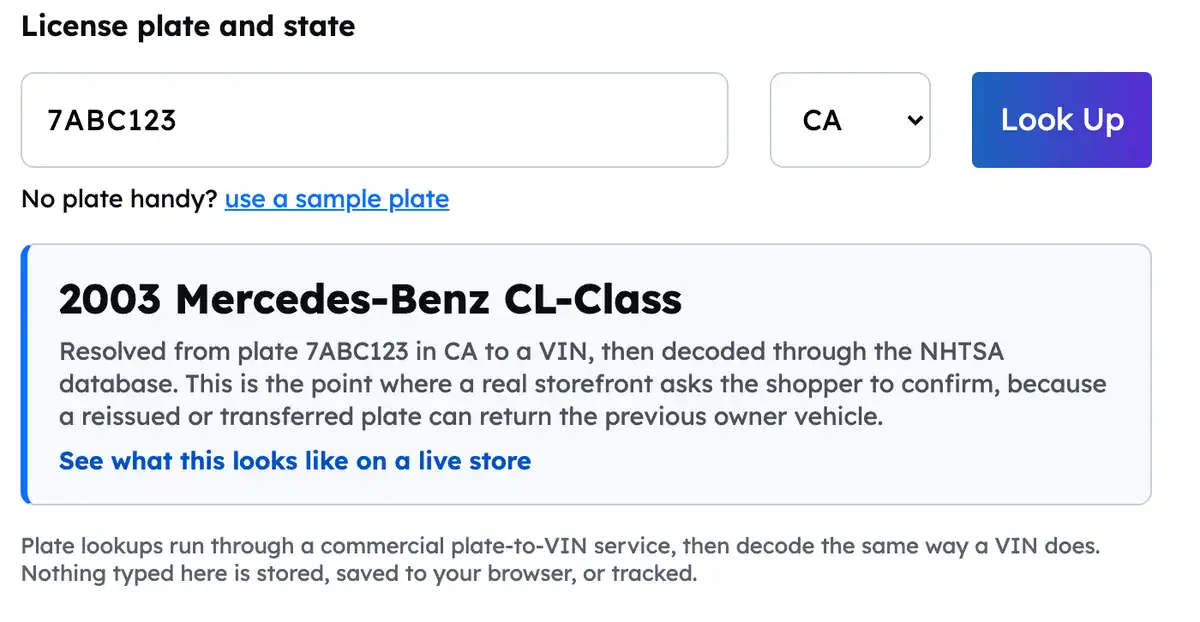
You do not have to take that on faith. The form at the top of this page is not a mockup. It calls the same production lookup service a Web Shop Manager store calls, with a real plate, and returns a real vehicle. Here is what it returned for a California plate:
A real plate resolved to a real vehicle by the live demo at the top of this page.
What this page is not: a consumer plate lookup service. It is written for people who run or are shopping for an aftermarket parts store. Plate entry is one of four ways into the same vehicle context, and it earns its place by rescuing the shopper who has no VIN in reach.
Support, accuracy, state detection, coverage, cost, ACES requirements and mobile.
The Shopper Who Cannot Find the VIN
The VIN is on the door jamb, on the dash under the windshield, and on the insurance card. A shopper on their phone in a parts aisle, or buying for a customer vehicle sitting in a bay, has none of those in reach. What they do have is the plate.
That is the whole case for plate lookup. A plate is not a better identifier than a VIN. It is a way in for the shopper who would otherwise abandon the vehicle selector and start guessing at year and model, which is where wrong-part returns begin.
It matters most in three places: on a phone, where a dropdown chain is the slowest possible path; at a counter, where the plate is visible and the registration card is not; and on a broad multi-make catalog, where a shopper who guesses wrong sees a parts list that looks right and is not.
How Plate Lookup Works on a Web Shop Manager Store
Plate entry sits in the same panel as the vehicle selector shoppers already use, and it lands in the same place. Here is the whole flow on a live storefront.
Step 1. The shopper enters the plate
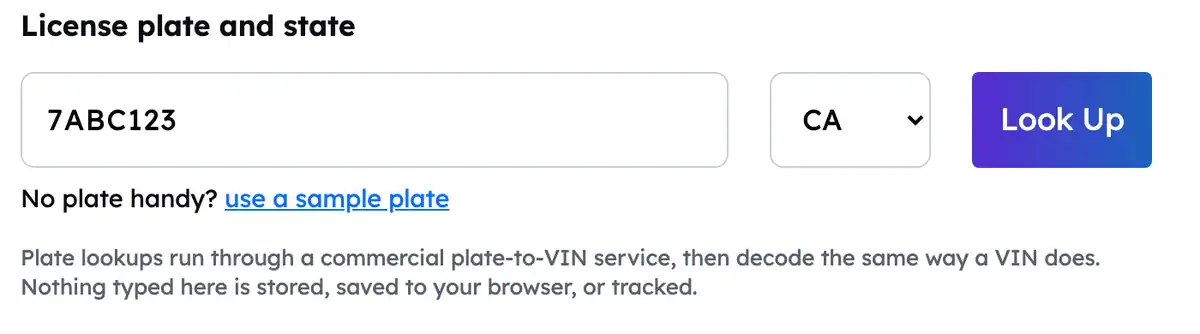
The state is not optional to the lookup. The same plate string is issued in more than one state, so without it the query has no single answer. The plate field itself accepts the plate as it reads on the vehicle, letters and numbers, and tolerates the spaces and dashes people type out of habit.
Plate and state ready, before the lookup runs. The state was already filled in.
The state is filled in for the shopper
Asking a shopper for their state is asking for a second piece of input to get one answer, and on a phone that is where people quit. So the plate panel on a Web Shop Manager store detects the shopper’s state from their location and fills the selector in before they touch it. In the common case the shopper types the plate and nothing else.
It is a default, not a decision. The selector stays visible and stays editable, because the case it has to survive is real: a shopper buying for a vehicle registered somewhere other than where they are standing, which is ordinary at a shop that serves out-of-state customers or a driver who moved. If they change it, their choice wins and nothing overrides it afterward.
The demo at the top of this page does exactly this, which is why the state was already set to a value when you got there.
Step 2. The plate resolves to a VIN
A commercial plate-to-VIN service returns the VIN registered to that plate in that state. This is the one step typed VIN entry skips entirely, and it is the step that makes plate lookup different from everything else in the panel. It is a paid third-party call, it can come back empty, and both of those facts shape where the feature belongs in your interface.
Step 3. The VIN decodes, and the shopper confirms
From here it is the same path as typed VIN entry. The VIN decodes against the public NHTSA database into a year, make and model, and the vehicle is shown back to the shopper before any filtering is treated as final. Year, make and model decode reliably. Trim and engine frequently do not, which is why the shopper still finishes the job in the filters.
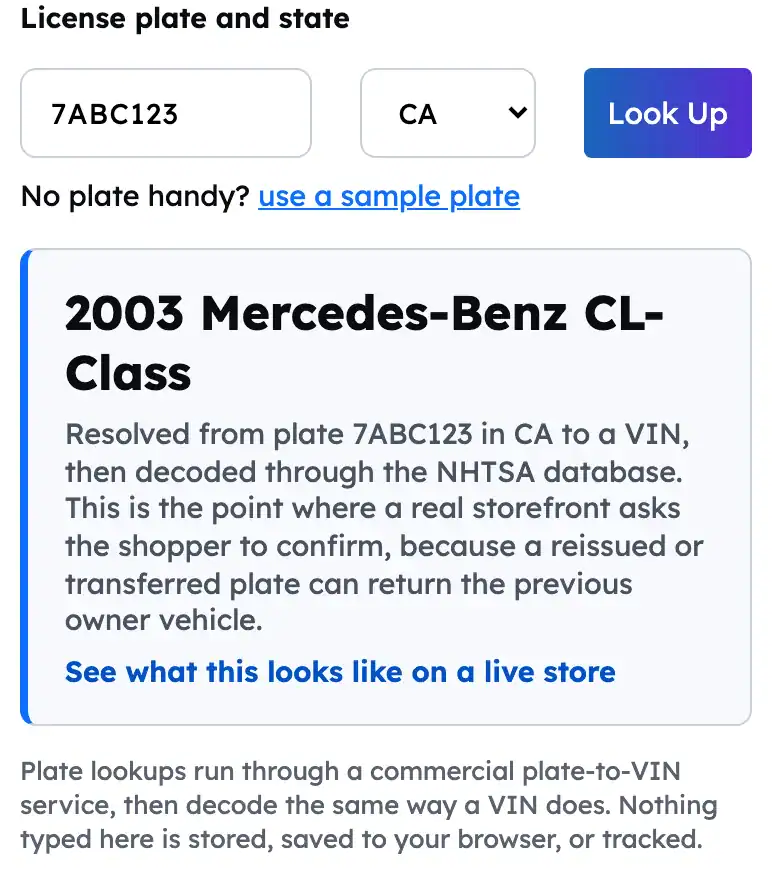
This is also the step that behaves the same on a phone as it does on a desktop, which matters because the phone is where plate entry earns most of its keep:
The same resolved vehicle on a phone. Plate entry is a short string and one dropdown, which is the shortest path to a vehicle on a small screen.
Step 4. The catalog filters to what fits
The confirmed vehicle becomes the active fitment context. Search, category pages and product pages narrow to products carrying a matching ACES application, product cards pick up a badge naming the vehicle, and the selection is saved to the shopper’s garage. Nothing downstream cares that the vehicle arrived by plate rather than by VIN or by dropdown, because all three entry points hand the same thing to the same vehicle selector.
This is also the step that depends entirely on you rather than on the lookup. A resolved vehicle is only worth as much as the fitment data it gets matched against, which is the subject of the readiness checklist further down.
A VIN belongs to one vehicle for its life. A plate does not. Plates get reissued to new vehicles, transferred between vehicles by the same owner, and retired, and registration records lag reality.
So a plate lookup can hand back a genuinely wrong vehicle and look perfectly plausible doing it. There is no check digit to catch it, no obvious tell in the answer, and a shopper who was not sure of their vehicle in the first place is the least likely person to notice.
The confirmation screen is not optional on this path. Show the year, make and model, let the shopper reject it, and keep VIN and Year Make Model one click away. A store that applies a plate result silently filters the catalog to the wrong vehicle and hears about it when the return arrives.
All four entry points land in the same place: one vehicle, saved to the garage, applied to the catalog. They differ only in what the shopper has in hand and what each one costs you to run. A shopper should never have to know which one your store happens to support.
Entry method
When it wins
Cost to run
On a phone
Confirmation needed
Year Make Model
The default. Always works, needs no document, and is the fallback when anything else misses.
None. It reads your own fitment data.
Workable but slowest. A dropdown chain on a small screen.
No. The shopper picked it themselves.
VIN
Fastest and most exact, when the shopper can read one off the jamb or the registration card.
None per lookup. The federal decoder is public.
Good. Pasting beats three dropdowns.
Yes, lightly. The check digit catches typos locally first.
License plate
The rescue path. The shopper has no VIN in reach but can read the plate.
Paid per attempt, including attempts that return nothing.
Best. The state is filled in from the shopper’s location, so the plate is the only thing to type.
Yes, and this is the path where it matters most.
Free text search
The shopper knows the part, not the vehicle, or is searching a brand or a part number.
None. It runs against your catalog.
Good, if the results respect the vehicle already in the garage.
Not applicable. It sets no vehicle on its own.
Presenting them as one panel rather than four features is the part that matters. Plate entry belongs as the clearly labeled alternative next to VIN entry, not as the default, because the shopper holding a VIN should not spend a paid lookup to get the same answer for free.
Plate entry is a small amount of storefront work sitting on top of a set of operational facts. These are the ones that decide whether it helps your shoppers or annoys them.
It depends on a commercial provider. The plate to VIN step is not a public federal service the way VIN decoding is. It runs through a commercial plate-to-VIN data source, which means an outside dependency on the critical path of a shopper’s first interaction with your catalog.
There is a real per-lookup cost. Decoding a VIN through the federal database is free. Resolving a plate is billed per attempt, including attempts that come back empty. That is a qualitative difference in kind, not a rounding difference, and it is the single reason plate entry should sit beside VIN entry rather than in front of it.
Coverage varies by state. Records come from state registration data, and states differ in what they release. A perfectly valid plate can return nothing. Point the empty result at VIN entry and the Year Make Model selector rather than a dead end.
Plates go stale. Reissued, transferred and retired plates all return something that looks like an answer. Keep the confirmation step, and word it so the shopper understands they are being asked to check rather than to click through.
It changes nothing about your catalog obligations. A resolved vehicle still needs ACES applications on your products to filter against, exactly as VIN and Year Make Model entry do. Plate lookup makes a fitment data gap more visible, not less.
Handle the failure states deliberately. Empty result, unavailable service and rate limiting are three different messages, and each one should name the next thing the shopper can do rather than reporting a status.
The point of the lookup is everything that comes after it. Once the shopper confirms the vehicle, a Web Shop Manager store treats it as context rather than as a one-time search.
The vehicle is saved to the shopper’s garage. It is held in the browser, it survives moving around the site, and it holds more than one vehicle, so the shopper who runs the family truck and the work van does not re-enter either one.
Search, categories and product pages all respect it. Result sets narrow to products with a matching ACES application, category counts reflect the vehicle, and product cards carry a fitment badge naming it.
The vehicle belongs in the URL of the filtered view. When it is, a counter person can send a customer a link that opens already filtered to their vehicle, which is the version of this feature that quietly earns the most. It is worth confirming on any platform you are evaluating, because it is easy to leave out and hard to add later.
The shopper can change or clear it from anywhere. A vehicle the shopper cannot get out of is worse than no vehicle at all, and on a plate result that escape hatch is doing real work.
Most pages about this feature show you a picture of it. The form at the top of this page is the feature. It calls the production plate lookup service directly, with whatever plate you give it, and shows you the vehicle that comes back.
Three things are worth trying while you are in it:
A plate you can verify. Use one you know the vehicle for, and check whether the year, make and model that come back are actually right. That is the only honest way to form a view about plate accuracy.
A plate with no state selected. The form refuses, because the same plate string exists in more than one state. Any plate lookup that does not ask for a state is guessing.
A plate that returns nothing. Watch what the interface does with an empty result. On your own store, that message is the difference between a shopper who switches to the VIN field and a shopper who leaves.
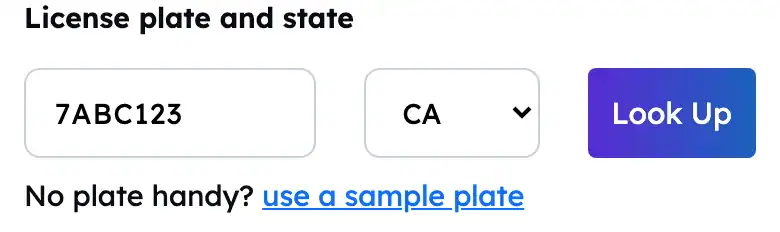
The plate and state fields on a phone. One short string and one dropdown, which is the whole point.
Nothing typed into that form is stored, saved to your browser, or tracked.
Plate Lookup Readiness Checklist
Work through this before offering plate entry to shoppers. Most of it is catalog and interface work rather than platform work.
Fitment data
ACES applications are attached to the products you expect shoppers to filter
Applications carry engine and configuration qualifiers, not only year, make and model
PIES attributes are populated so a filtered result set is readable
You know which brands have thin coverage, and what the store shows when coverage runs out
The lookup itself
A plate-to-VIN provider is contracted, and someone owns the relationship and the spend
The state is detected from the shopper’s location and pre-filled, rather than left as an empty dropdown the shopper has to notice
A shopper who changes the state keeps that choice, and nothing re-detects over the top of it
Rate limiting and repeated-submit behavior are decided, since every attempt is billable
An empty result offers VIN entry and the Year Make Model selector by name, not a generic error
Storefront behavior
The resolved vehicle is shown back to the shopper as something they can reject
Plate entry is labeled as an alternative sitting next to VIN entry, not as the default path
The selected vehicle persists across search, category and product pages, and across visits
The shopper can clear or change the vehicle from anywhere on the site
Measurement
Plate attempts, successful resolutions and empty results are logged separately
Rejected confirmations are logged, because a pattern in them is the earliest signal of stale plate data
You can see whether shoppers who arrive by plate convert differently from shoppers who use the dropdowns
Spend on the lookup provider is reviewed against those numbers rather than assumed
Getting fitment data into the catalog in the first place, which is where most vehicle lookup projects actually stall.
FAQs About License Plate Lookup on an eCommerce Site
Yes. License plate lookup is supported on Web Shop Manager stores through PartsLogic, the search and fitment product Web Shop Manager builds. The plate resolves to the registered VIN through a commercial plate-to-VIN service, that VIN decodes into a year, make and model, the shopper confirms it, and the confirmed vehicle becomes the fitment context that search, category browsing and product pages filter on. It sits in the same panel as VIN entry and the Year Make Model selector. The form at the top of this page calls the same production lookup service, so you can run it yourself.
Less certain than a VIN, and the reason is the plate rather than the decode. Plates get reissued, transferred and retired, and registration records lag. Once the plate resolves to a VIN, the decode is as accurate as any VIN decode: year, make and model are reliable, trim and engine usually are not. There is also no check digit on a plate the way there is on a VIN, so a wrong answer arrives looking exactly like a right one. Keep the confirmation step so a stale match is caught before the catalog filters on it.
Usually not. The plate panel detects the shopper’s state from their location and fills the selector in before they touch it, so in the common case they type the plate and nothing else. The state still matters to the lookup, because the same plate string is issued in more than one state, so the selector stays visible and stays editable. A shopper buying for a vehicle registered somewhere other than where they are gets to change it, and their choice wins.
Coverage varies by state, because the records come from state registration data and states differ in what they release. A lookup can come back empty for a perfectly valid plate. The right design is an empty result that offers VIN entry and the Year Make Model selector by name rather than a dead end, so the shopper who was rescued by plate entry is not stranded by it.
Yes. Decoding a VIN goes through the free public federal database, but resolving a plate to a VIN goes through a paid commercial service and carries a per-lookup cost, including on attempts that return nothing. That is why plate entry belongs beside VIN entry rather than in front of it, and why repeated-submit and rate-limiting behavior are worth deciding before you launch it.
Yes. A plate lookup produces a vehicle, nothing more. Filtering a catalog by that vehicle requires ACES applications already on your products saying which vehicles each part fits. Without them a resolved plate has nothing to match and the shopper gets an empty result set. Applications should carry engine and configuration qualifiers as well, since that is where the shopper finishes narrowing after the plate sets the vehicle.
Yes, on the same responsive vehicle panel, which stacks vertically on a phone. Plate entry is often the fastest path on a small screen, because the state is filled in from the shopper’s location and the plate is a short string, so there is one field to type instead of a chain of dropdowns. One thing it does not do today: there is no camera or plate scan. The shopper types the plate as it reads on the vehicle.
See Plate Lookup Running on Your Catalog
Bring a plate, a state and a part number. A demo runs them against your own catalog and shows what your fitment data does with the result, including where it comes up short.