Analytics & Tracking Readiness for Aftermarket eCommerce
Turn “we think it’s working” into measurable growth. Align GA4 + GTM events, fitment context (YMM), and PartsLogic search signals so reports match how automotive shoppers actually buy.
- GA4 + GTM foundations with clean event governance
- Fitment-aware measurement (YMM) + catalog context for true attribution
- Search + merchandising insights (PartsLogic-ready) for conversion lift
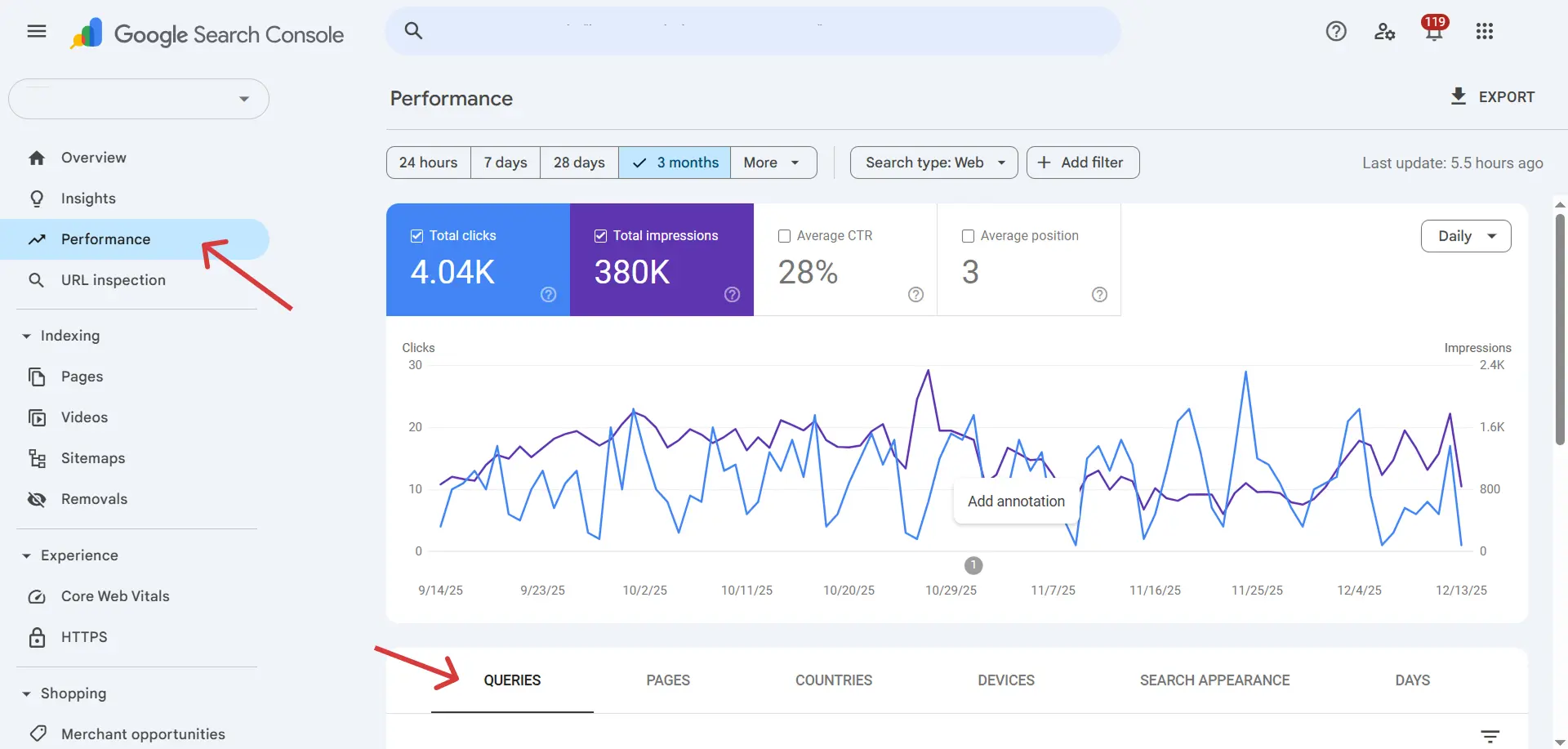
Standard eCommerce tracking misses what matters in aftermarket: fitment-filtered add-to-carts, vehicle-context conversions, and search-to-purchase attribution. WSM aligns GA4, GTM, and conversion events with how automotive shoppers actually buy — so your data reflects real performance.
- Track fitment-aware conversions — not just page views and generic add-to-carts
- Align GA4 events with vehicle context, search intent, and buyer type
- Configure GTM containers with consistent event naming across the storefront
- Support attribution for HubSpot, Google Ads, and multi-touch conversion paths
Jump to a Section
Use these quick jump points to audit your measurement stack and prioritize fixes.
Automotive eCommerce Needs More Than “Basic Tracking”
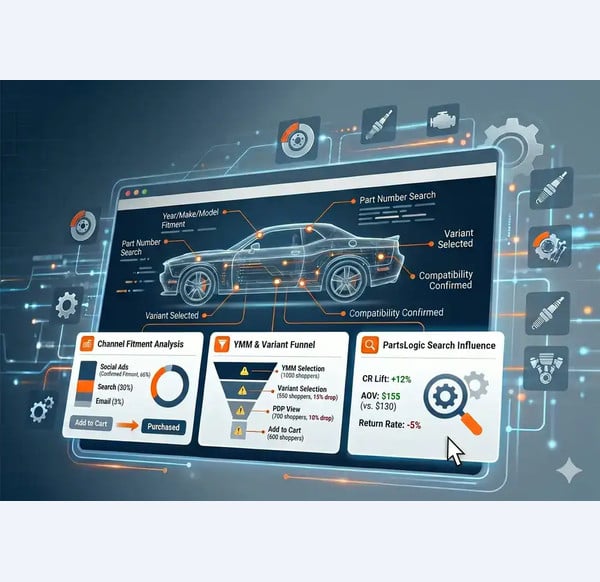
Aftermarket buying journeys are compatibility-driven. Shoppers filter by vehicle, compare variants, search by part number, and often bounce between categories and PDPs before committing. If your tracking doesn’t capture fitment, search intent, and micro-conversions, you’ll under-report performance and misallocate budget.
- Which channels drive fitment-confirmed add-to-carts and purchases
- Where shoppers drop during YMM selection and variant selection
- How PartsLogic search influences conversion rate, AOV, and returns

Define Success Before You Tag Anything
A measurement plan is your shared map of goals → events → parameters → reports. It keeps marketing, ops, and dev aligned and prevents “event sprawl.”
- Primary conversions: purchase, request-demo/lead, quote (if used)
- Micro-conversions: YMM set, search, PDP view, add-to-cart, checkout steps
- Event naming standards + parameter definitions
- Ownership + release process (who changes GTM, who validates)
- ymm_set / fitment_selected (year/make/model + trim/engine when used)
- fitment_confirmed on PDP (confirmed vs. uncertain)
- part_number_search + “no results” searches
- variant_selected (size/finish/application/kit)
Build a Tracking Base You Can Trust
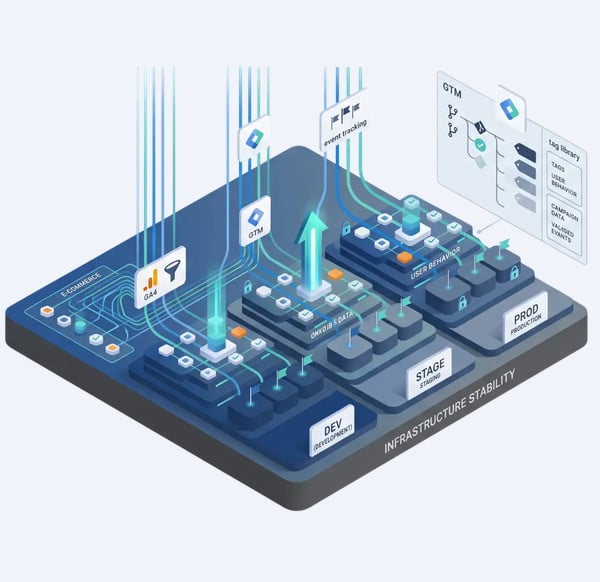
Most reporting issues come from inconsistent tags, missing parameters, and ungoverned changes. This is the stability layer.
- GA4 property + data streams configured correctly
- GTM container governance (dev/stage/prod environments + versioning)
- Content grouping (hub/spoke + genre pages) for clean navigation reporting
- Key events flagged consistently (avoid duplicate conversions)
Make Fitment a First-Class Analytics Dimension
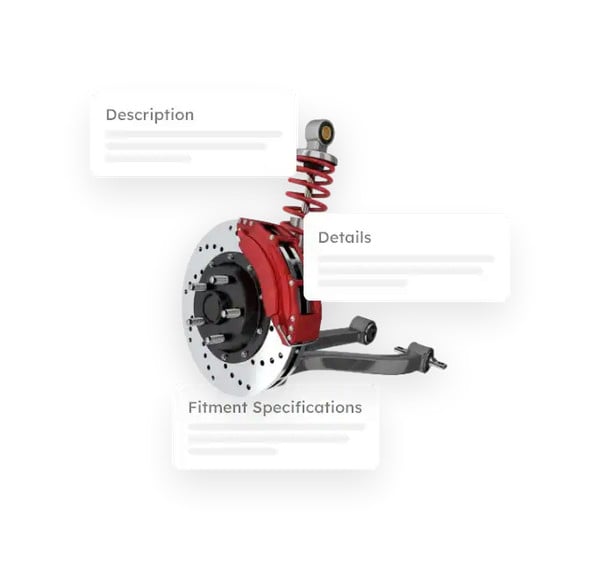
If your storefront is fitment-aware, your analytics should be too. Capturing YMM context transforms reporting from “traffic” into “qualified shoppers.”
- Vehicle context: year/make/model (+ engine/trim when used)
- Product context: brand, part number, category, key attributes
- Fitment state: unknown → selected → confirmed

Measure Search Intent and Conversion Lift
On-site search often carries the highest intent—especially in automotive where buyers use part numbers, synonyms, and fitment phrases. With PartsLogic Smart Search, measure the assist effect across sessions and purchases.
- Search usage rate (sessions with search / total sessions)
- Top queries, part-number queries, synonym matches
- Zero-results queries + next action behavior
- Filter/sort events and refinements from search results
- Search-to-purchase conversion rate + AOV lift
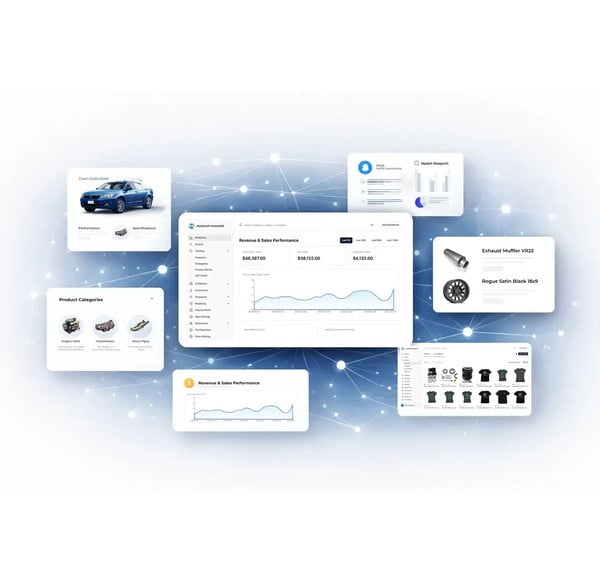
Funnels, Dashboards, and “Readiness Reporting”
Dashboards should answer operational questions—not just display charts. In aftermarket eCommerce, the most valuable reporting connects fitment, search, and checkout behavior so you can pinpoint friction and prove what’s improving.
Page speed is part of the same measurement discipline: the mobile PageSpeed playbook shows how the delivery layer is tuned without a redesign.
- Fitment funnel: landing → YMM set → PLP → PDP → add-to-cart → purchase
- Search impact: sessions with search vs. without search (CVR, AOV, revenue)
- Genre performance: truck parts vs. diesel vs. powersports vs. retail parts
- B2B vs. B2C paths: login rate, PO usage, quote flow (if used), reorder behavior
- Zero-results reporting: top zero-result queries + next action after zero results
- Campaign quality: fitment-confirmed carts/purchases by source/medium
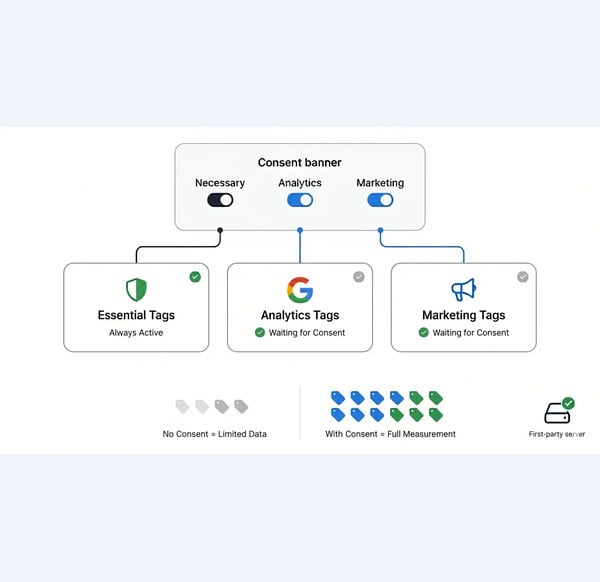
Consent-Ready Tracking Without Losing the Plot
Consent modes, blockers, and privacy changes can quietly degrade attribution. Readiness ensures you can still learn and optimize—without compromising compliance.
- Consent banner behavior mapped to tag firing rules
- Consent strategy documented (as applicable)
- Durable measurement approach (first-party where appropriate)
- Pixel inventory + governance (what fires, where, and why)
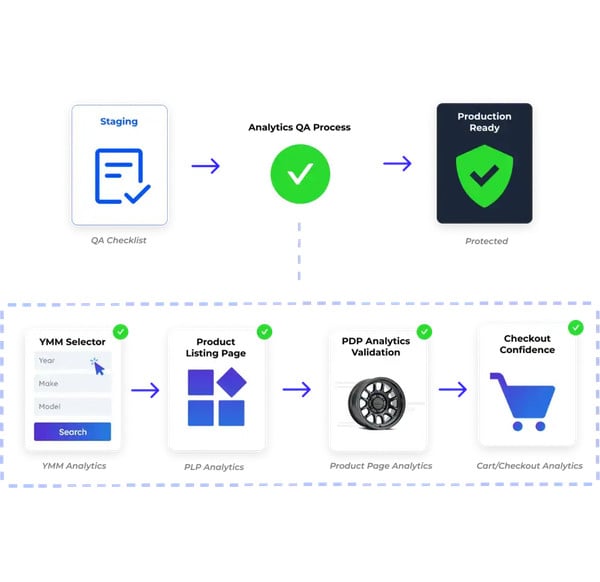
Keep Tracking Intact Through Site Updates
Every release can break analytics. A Analytics QA workflow for validating GA4, GTM, fitment, search, add-to-cart, and checkout tracking after site updates.
- Validate tags/events in staging before deploy
- Test key flows: YMM → PLP → PDP → add-to-cart → checkout
- Exclude internal traffic + filter bots
- Anomaly alerts: traffic drop, conversion drop, tag fire-rate drop

Analytics & Tracking Readiness Checklist
- GA4 configured + key events defined
- GTM governance + versioning + environments
- Measurement plan documented + owned
- YMM/fitment parameters captured
- Catalog attributes captured (brand, part #, category)
- Fitment-confirmed state tracked on PDP
- PartsLogic search queries + zero-results tracking
- Filter/sort + refinement events
- Search lift reporting (CVR + AOV impact)
- Consent-aware tag firing rules
- Durable measurement approach where appropriate
- Pre/post deploy validation routine
- Ongoing anomaly alerts + periodic audits
Explore related eCommerce Platform readiness guides
Keep building your platform story — these readiness guides connect analytics, fitment, search, mobile experience, data standards, and operational workflows across the eCommerce Platform cluster.
Saleor integrations operated by Web Shop Manager
Analytics and tracking readiness depends on clean event data. Web Shop Manager builds and operates the storefront analytics and marketing integrations on Saleor.
Explore: Saleor Integrations hub · Saleor GA4 & GTM · Saleor Twilio Segment · Saleor Klaviyo
Analytics & Tracking Readiness FAQs
Quick answers to common questions about analytics and tracking readiness
Analytics readiness means your measurement stack reliably captures the events and context that matter—fitment (YMM), search behavior, product/variant selection, and checkout steps—so reporting reflects real buying journeys and supports better decisions.
GA4 + GTM is a common baseline because it supports standardized ecommerce events and scalable tag governance. The key is consistency: a documented measurement plan, stable event naming, and validated releases—regardless of tooling.
Track YMM selection as a structured event (e.g., ymm_set) and pass vehicle parameters (year/make/model, plus engine/trim when used). Also track fitment confirmation on product pages so you can report fitment-confirmed conversion performance.
Measure search usage rate, top queries (including part-number searches), zero-results searches, refinements (filters/sort), and compare conversion rate and AOV for sessions with search vs. sessions without search to quantify search lift.
Common issues include missing YMM context, inconsistent ecommerce events, untracked search intent, broken tags after releases, and dashboards that don’t separate B2B vs. B2C conversion paths.
Use a staging validation checklist, versioned GTM releases, and anomaly alerts. Validate key flows—YMM selection, search, PDP fitment confirmation, add-to-cart, and checkout—before and after deploys.
Start with a fitment funnel (landing → YMM set → PLP → PDP → add-to-cart → purchase), search impact (with-search vs. without-search conversion and AOV), zero-results searches, genre performance (truck/diesel/powersports/retail), and B2B vs. B2C paths (login rate, PO/quote usage). These views reveal friction fast and show what improvements actually moved conversion.

Ready To Grow Your Business?
Ready to grow your aftermarket eCommerce presence and lift conversions across auto, truck, powersports, marine, and more? Connect with
Web Shop Manager for tailored solutions: strategy, platform, and performance in one team.