Synonyms, Autocomplete & Zero-Results Prevention
Shoppers don’t search the way your catalog is named. PartsLogic Smart Search bridges the gap — bi-directional synonyms, predictive autocomplete, and zero-results prevention turn vague or misspelled queries into the right part.
Match how shoppers actually type — F150 or F-150, tonneau or truck bed cover.
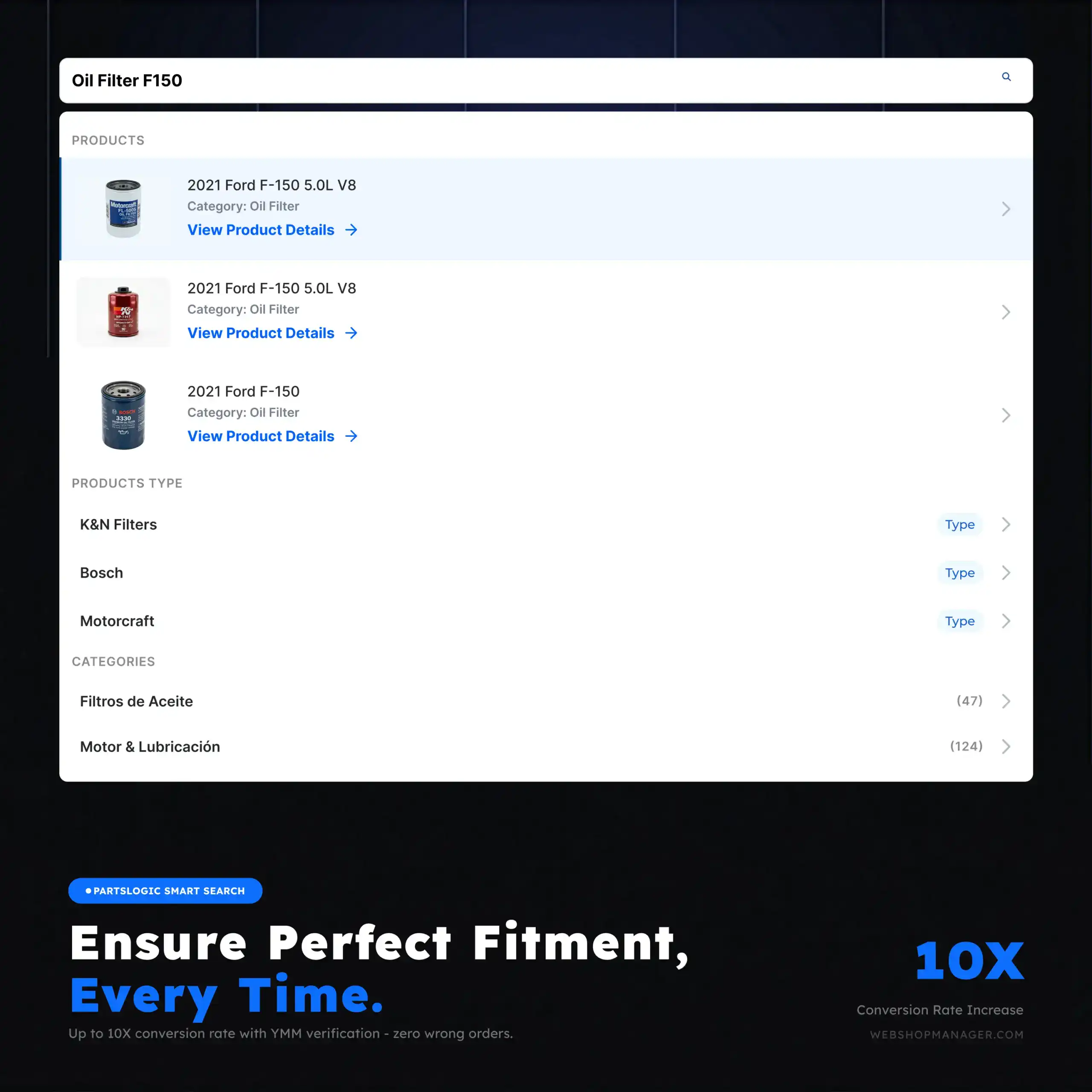
A “no results” page is a lost sale
In a high-SKU parts catalog, the gap between what a shopper types and how a product is named is where revenue leaks out. PartsLogic Smart Search closes that gap with synonyms that understand industry language, autocomplete that guides the query, and zero-results prevention so a near-miss search still lands on something to buy.
- Bi-directional and one-way synonyms map shopper language to your catalog
- Predictive autocomplete guides shoppers to the right query as they type
- Zero-results prevention keeps a near-miss search from dead-ending
- Tuned for the messy, abbreviation-heavy way people search for parts
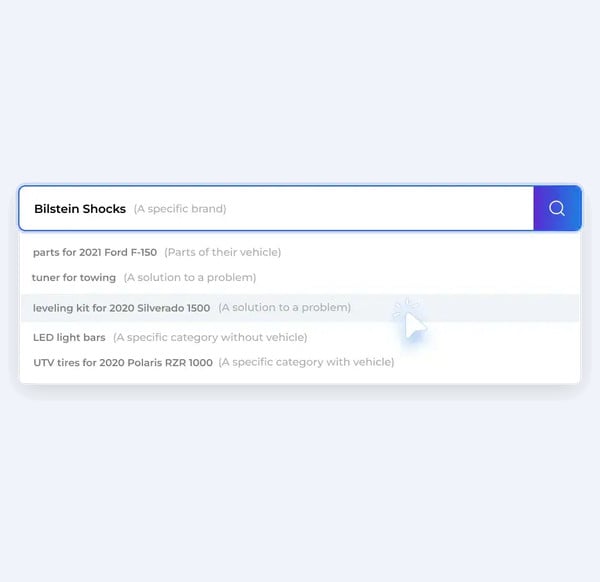
Synonyms that speak shopper language
- Bi-directional synonyms treat “F150” and “F-150” — or “tonneau” and “truck bed cover” — as the same thing
- One-way synonyms map informal or slang terms to your official product names
- Handle abbreviations, spellings, and brand nicknames common in the aftermarket
- Shoppers find the right part even when they don't know its catalog name
Predictive autocomplete
- Suggests products and queries the moment a shopper starts typing
- Surfaces popular and relevant results to shorten the path to the product page
- Reduces typos and dead-end searches before they happen
- Keeps high-intent shoppers moving toward checkout
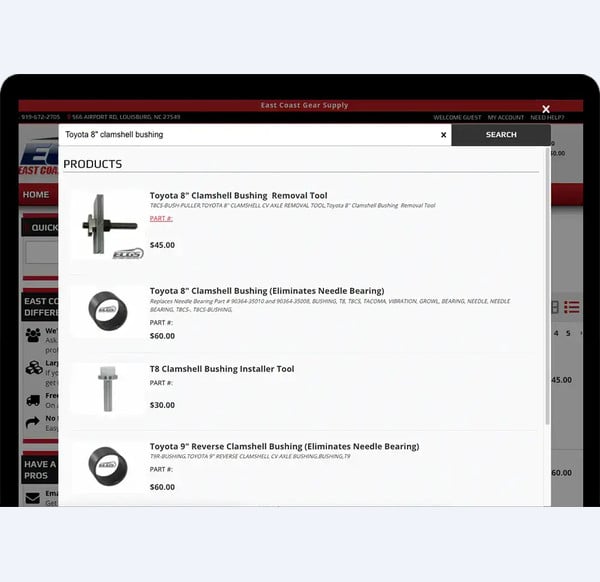
Zero-results prevention
- Catches near-miss and misspelled queries before they hit a dead end
- Keeps shoppers on a productive path instead of an empty results page
- Turns vague searches into relevant product suggestions
- Recovers sales that a “no results” page would have lost
Explore related eCommerce Platform readiness guides
Keep building your platform story — these readiness guides connect fitment, catalog, search, performance, operations, and commerce capabilities across the eCommerce Platform cluster.
Search Synonyms & Autocomplete FAQs
Zero-results prevention means reducing “no results found” outcomes by expanding queries intelligently — using synonyms, spelling handling, and suggestion logic — so shoppers still land on relevant products.
Parts shoppers use many different terms for the same item (brand nicknames, abbreviations, and industry shorthand). Synonym coverage maps those terms to the same product intent so search results stay accurate.
Yes. Autocomplete and suggestions can reflect fitment-aware intent by surfacing the most useful categories, product types, and query patterns that match how buyers shop after selecting a vehicle.
Yes. Search can account for common misspellings, spacing, and part-number formatting differences so shoppers reach the right results without having to type perfectly.
Instead of a dead end, the experience can show “did you mean” suggestions, related categories, and curated alternatives so the shopper has a path forward.
By reviewing search analytics and zero-results queries, then updating synonym rules, suggestion patterns, and merchandising controls to align results with real buyer language.

Ready To Grow Your Business?
Ready to grow your aftermarket eCommerce presence and lift conversions across auto, truck, powersports, marine, and more? Connect with
Web Shop Manager for tailored solutions: strategy, platform, and performance in one team.