Web Shop Manager vs Lightspeed
How Web Shop Manager compares to Lightspeed on the criteria that decide it at aftermarket scale — fitment depth, ACES/PIES automation, hybrid B2B/B2C, structured data, and AI that runs on real catalog data.
Representative pattern, not a verbatim customer quote
Lightspeed is great for our brick-and-mortar shop — the POS works well, the inventory sync is clean. The online side doesn’t deliver the catalog-first experience our online customers expect, especially around fitment.
Why compare Web Shop Manager and Lightspeed?
For parts sellers evaluating a Lightspeed alternative, the real question is not just platform cost — it is whether the platform can handle fitment, catalog updates, B2B, and AI-ready product data without running an online catalog on a platform whose center-of-gravity is brick-and-mortar POS. Lightspeed is a strong POS-first commerce platform with eCommerce attached. For brick-and-mortar shops adding online sales — inventory sync, in-store + online unified, multi-location — it’s an excellent choice. It belongs in the comparison set for shops whose physical store is the operational center and online is a complementary channel.
The question isn’t whether Lightspeed can run an online auto-parts storefront. It can. The question is whether a POS-first platform serves a catalog-first online merchant the way a platform built specifically for online aftermarket commerce does — especially around fitment depth, ACES/PIES automation, and the AI/AEO surface where buyers find parts.
- POS-first vs. catalog-first orientation. Lightspeed’s center-of-gravity is brick-and-mortar; the catalog-first online experience that aftermarket shoppers expect (deep YMM filtering, qualifier-aware search, kit fitment) is built on top of that POS foundation rather than as the design center.
- Fitment isn’t a native concept in the eCom model. YMM and qualifier-depth come from custom development or third-party integrations.
- ACES/PIES is not a native data structure. Aftermarket catalog standards live outside Lightspeed’s product model. Operators bring ACES/PIES in through custom integrations.
- B2B story is configured rather than platform-default. Verify depth for dealer-portal patterns including PO checkout, net terms, and quote workflows.
- The eCom and POS lines have shifted. Lightspeed has acquired and rebranded several eCom platforms (including Ecwid); verify which Lightspeed eCom product you’re evaluating and how it integrates with the POS side.
What to evaluate when comparing WSM and Lightspeed
If you’re a shop owner, distributor, or manufacturer comparing these two, the six things below are what actually shift once you’re ninety days into operations.
Catalog complexity at scale
Lightspeed handles inventory well for retail operations. The question is what the data model treats as first-class for an online catalog with fitment-driven complexity. WSM’s catalog is built around fitment-driven structures — vehicle qualifiers, kit relationships, supersessions, supplier-feed reconciliation — as the design center, not as additions on top of a POS model.
Fitment depth, not just YMM integration presence
Lightspeed can show a Year/Make/Model dropdown via custom development or third-party integrations. The depth question is what happens at the qualifier level — engine, trim, bed length, doors — when fitment is the actual conversion decision. PartsLogic prompts for the qualifier that matters before checkout, natively. On Lightspeed, that flow is built per-store.
Native B2B handled as a WSM platform pattern vs. configured wholesale
If you sell to dealers, WSM treats account-based pricing, PO checkout, and dealer logins as built-in platform patterns. Lightspeed supports wholesale operations (including Lightspeed Wholesale / NuORDER); verify depth for your dealer-portal pattern including PO checkout, net terms, and quote workflows.
ACES/PIES automation
Lightspeed can ingest ACES/PIES via custom integrations or third-party integrations. The differentiator is whether the catalog stays in sync without manual reconciliation eating labor at scale. WSM’s data-services layer was built around this — including AI Catalog Bridge, which auto-detects PIES/ACES, maps any supplier CSV column-by-column with AI, and runs scheduled FTP/SFTP pulls.
Modern architecture
Lightspeed’s headless and modern API story is less developed than dedicated online commerce platforms. WSM 6.0 ships fully headless — Next.js storefronts on a GraphQL commerce API — with the storefront codebase included.
AI readiness and aftermarket catalog-data foundation
WSM ships Mercedes and AI Catalog Bridge today for AI-assisted catalog work: PIES/ACES auto-detection, supplier CSV mapping, and scheduled FTP/SFTP pulls. Fitment Q&A, customer support, and merchandising AI continue expanding on the same structured-data foundation.
Quick answer: where each platform fits best
The honest answer is that the better platform depends on what your shop needs to do at scale. WSM is a strong Lightspeed alternative for aftermarket sellers who need native fitment, ACES/PIES workflows, B2B handled as a WSM platform pattern and a catalog-first online architecture, and a platform where the specialized aftermarket capabilities are primitives rather than POS-tilted features and configurations.
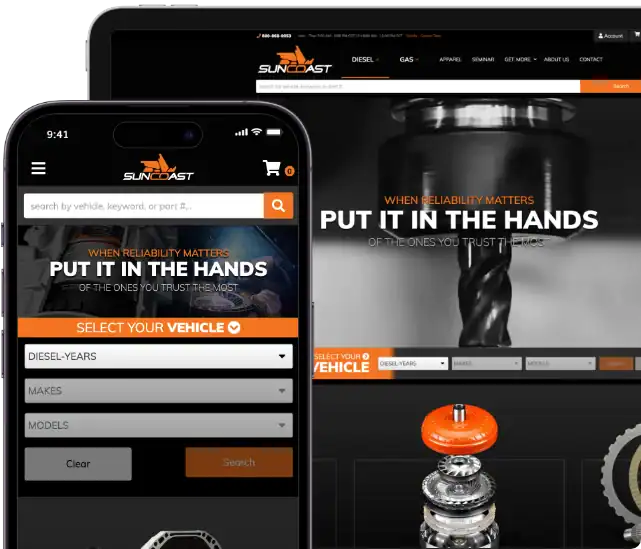
Choose Web Shop Manager if: fitment is your conversion lever, ACES/PIES is your data backbone, you sell to both dealers and retail customers from the same catalog, and you want a platform that has been running aftermarket sites for 25+ years. We currently power $400M+ in annual online sales for shops like Fuel Moto, ECGS, and Suncoast. The pattern we see: brick-and-mortar shops whose online channel grows past Lightspeed’s eCom strengths typically migrate the online catalog to a catalog-first platform while keeping Lightspeed for POS — or move both online and POS to a platform that handles both well.
Choose Lightspeed if: your brick-and-mortar operations are the center of gravity, your online channel is complementary rather than primary, the unified inventory and POS workflow is valuable, and the catalog-first online experience is secondary to the in-store + multi-location story. A hybrid path also works well: keep Lightspeed POS for in-store and inventory, and move the online aftermarket catalog to WSM for fitment-native search and B2B.
Where the two platforms diverge
Lightspeed and WSM solve different problems — Lightspeed is POS-first with eCom attached; WSM is catalog-first for online aftermarket. Ten places where the difference shows up in real operations:
| Capability | Web Shop Manager | Lightspeed | What it means for the operator |
|---|---|---|---|
| Fitment verification depth | Native YMM included in WSM platform tiers + PartsLogic qualifier prompts (trim, engine, bed length, doors) before checkout | Not native — fitment is added via custom development or third-party integrations; qualifier handling per-store | WSM gates the qualifier before purchase as platform default; on Lightspeed the same flow depends on the integration you built or bought |
| Fitment-aware kits and bundles | Native — kit fitment is computed from every component’s YMM compatibility, so a bundle only shows for vehicles where every part actually fits | Bundles supported; per-component fitment validation is a custom build | reduces wrong-fit returns on kit purchases, where a single component mismatch ruins the whole order |
| AI-driven catalog import | AI Catalog Bridge — drop any supplier CSV and AI auto-maps the columns; auto-detects PIES/ACES; scheduled FTP/SFTP pulls; round-trip exports where mappings stick across re-imports | Inventory import supported; AI-driven mapping and PIES/ACES auto-detection are custom-build territory | Catalog-team time per new supplier-feed onboarding drops from hours per feed to minutes |
| ACES/PIES sync | Automated nightly sync; data-services team manages drift | Available via custom integration; ongoing sync model is yours to design | Manual ACES/PIES reconciliation eats meaningful labor at scale |
| B2B + B2C in one platform | Native — account pricing, PO checkout, dealer login, retail flow on the same backend as a platform-default pattern | Wholesale operations supported; verify depth for PO checkout, net terms, and quote workflows | Native single-surface B2B+B2C across the WSM platform vs. wholesale configured alongside POS-first operations on Lightspeed |
| Online vs. brick-and-mortar orientation | Catalog-first online platform — built for online aftermarket commerce as the primary channel | POS-first with eCom attached — built for brick-and-mortar with online as a complementary channel | Where the platform’s center-of-gravity sits affects how naturally the online catalog experience comes out |
| Multi-location and POS unification | Multi-storefront capability for online operators; POS integration via third-party services if needed | Strong native POS + multi-location + inventory sync — the platform’s strongest feature set | POS-unified inventory is real value for brick-and-mortar; catalog-first depth is real value for online-primary operators |
| Architecture | WSM 6.0 — fully headless, Next.js storefronts on a GraphQL commerce API, modular app marketplace | POS-first architecture with eCom layer; headless and modern API support less developed than dedicated online commerce platforms | If your primary channel is online and you want modern architecture, the platform foundation matters |
| Native AI agent (Mercedes) | Ships today for catalog work (AI Catalog Bridge: PIES/ACES auto-detect, supplier CSV mapping, FTP/SFTP scheduling). Fitment Q&A and customer-support capabilities expanding next on the same structured-data foundation | Lightspeed AI focuses on retail operations and POS analytics; aftermarket-specific online catalog logic remains a custom implementation | AI on top of native fitment depth is leverage; AI on top of generic catalog data produces generic answers, not fitment-specific guidance |
| AI search visibility (AEO) | Full Product schema on every page (name, brand, SKU, price, availability) plus llms.txt for AI discovery. All AI crawlers allowed in robots.txt. WSM-powered stores may be cited by ChatGPT, Perplexity, and Google AI Overviews; citation outcomes vary by store and query | Product schema available via theme or SEO setup; llms.txt and AI-citation tuning per-store | The next surface buyers find parts on isn’t only Google — it’s AI assistants citing the underlying data |
What ships inside Web Shop Manager 6.0
WSM 6.0 is built as a set of named, modular capabilities — not a POS-attached configuration. The five that matter most for an aftermarket comparison:
Mercedes
Native AI agent grounded in your structured catalog. Ships today for catalog work; fitment Q&A and customer-support roles expanding next.
AI Catalog Bridge
Drop any supplier CSV — AI auto-maps the columns. Auto-detects PIES/ACES. Scheduled FTP/SFTP pulls. Round-trip exports where mappings stick across re-imports.
PartsLogic Smart Search
Natural-language search tuned for aftermarket queries. Understands “F-150 2018 SuperCrew bed cover” the way a parts counter would. Qualifier prompts before checkout.
AEO & AI citation
Full Product JSON-LD schema (name, brand, SKU, price, availability), llms.txt on every storefront, AI crawlers allowed in robots.txt. WSM-powered stores may be cited by ChatGPT, Perplexity, and Google AI Overviews — citation outcomes vary by store and query.
Local SEO
For shops with physical locations: LocalBusiness schema, location-aware fitment pages, structured store data optimized for local search and AI-assistant pickup.
Why aftermarket operators evaluate WSM differently
Shop owners with compatibility-driven catalogs ask different questions than general-retail merchants. They care less about the storefront theme and more about: can the catalog stay in sync with my supplier data? Can my dealer accounts buy in bulk from the same platform retail customers use? When a buyer searches for “F-150 2018 SuperCrew bed cover,” do they land on a part that actually fits or do they call my support team?
- Cut wrong-fit returns through fitment verification at the qualifier level — not just a YMM plugin/app that still requires custom qualifier logic around engine, trim, bed length, doors, and compatibility rules.
- Ship kits and bundles with verified fitment — kit fitment is computed from every component’s YMM data, so customers only see kits where every part fits their vehicle. Mismatch on a single component in a kit returns every part in that order.
- Onboard a new supplier feed in minutes, not hours — AI Catalog Bridge auto-maps any CSV (even messy PIES/ACES files) to your catalog. Round-trip edits stick.
- Eliminate the manual ACES/PIES reconciliation overhead by automating nightly sync against supplier feeds.
- Run B2B and B2C from one catalog across the WSM platform without building a separate dealer-portal workaround — dealer pricing, PO checkout, retail flow, all native.
- Iterate storefront UX without rebuilding because the WSM 6.0 architecture is fully decoupled, shipped not assembled.
- Get AI that actually answers fitment questions because Mercedes runs on top of structured data, not on top of static product descriptions.
- Lean on 25 years of aftermarket operations experience — WSM has run platforms for shops in your exact configuration before.
- Operate with one accountable team — tech, hosting, data, and support owned by WSM, not coordinated across the platform, a POS integration partner, and a development partner.
Where this comparison points next
If you’ve read this far, you’re past general-platform comparison and into operational specifics. The pages below go deeper on the WSM mechanisms that show up in this comparison — Year/Make/Model lookup, the ACES/PIES data layer, PartsLogic search, and the AI-ready commerce surface Mercedes runs on.
Looking for a Lightspeed alternative built catalog-first for online aftermarket?
If you’re on Lightspeed and your online catalog has grown past the eCom-attached-to-POS architecture, you’re hitting fitment-depth or ACES/PIES limits, or you’re evaluating whether to migrate the online channel to a catalog-first platform while keeping Lightspeed for POS — or you’re evaluating a Lightspeed alternative built specifically for online aftermarket commerce — we’ll show you what the actual evaluation looks like with your catalog in front of us.
Get more from Web Shop Manager in Google Search:
WSM vs Lightspeed at a glance
A quick scan of where each platform stands on the dimensions that matter most for parts-driven merchants.
| Dimension | Web Shop Manager | Lightspeed |
|---|---|---|
| Native fitment (Year/Make/Model)Built into the platform, not added via plugin. | ✓First-class | −Integration / custom implementation |
| ACES & PIES supportIndustry-standard structured data for aftermarket catalogs. | ✓Native | −Custom integration |
| Hybrid B2B / B2C in one storeDealer pricing, gated catalogs, RFQ, net terms — same store as retail. | ✓Default | −Wholesale supported; verify dealer depth |
| Fitment-aware structured dataSchema.org output tuned for aftermarket queries. | ✓Built-in | −Theme/integration/custom setup |
| PartsLogic Smart Search + Mercedes AIGuided discovery and AI assistance designed for complex catalogs. | ✓Included | −Retail AI / custom aftermarket logic |
| Migration playbook for aftermarketRedirect audit, ACES normalization, fitment re-indexing. | ✓Standard | −Bespoke |
This is a positioning summary, not a feature audit — every platform has nuance. Talk to a specialist for a TCO comparison against your real catalog.
Frequently asked questions
The questions parts-driven merchants ask most often when comparing Lightspeed to WSM.
Yes — particularly for aftermarket operators where fitment, ACES/PIES, B2B, and supplier-feed automation are core requirements rather than capabilities configured on top of a POS-first platform. WSM ships fitment depth and qualifier prompts natively, automates ACES/PIES reconciliation, supports B2B as a platform-native pattern, and ships Next.js storefronts on a GraphQL commerce API. The Lightspeed alternative case is about using a catalog-first online platform for aftermarket commerce while leaving POS to a POS-specialized platform when that is the better operational fit.
Compare them on the operational specifics that show up at scale: fitment as a platform-default pattern versus fitment through integration on a POS-first platform, ACES/PIES automation depth, B2B dealer workflows, headless online architecture, supplier-feed handling, search quality, and the multi-year total cost of ownership. Lightspeed is strongest when POS and store operations are the center of gravity. WSM is strongest when the online aftermarket catalog is the center of gravity.
Yes. Lightspeed can be a strong fit for brick-and-mortar shops where online sales are a complementary channel and unified POS, inventory, and multi-location retail workflows are the priority. The question on this page is not whether Lightspeed can support an online auto-parts storefront. It is whether a POS-first platform serves a catalog-first online aftermarket operator the way a platform built specifically around fitment, structured catalog data, and online parts discovery does.
No. WSM is a serious platform investment compared with running Lightspeed eCom alongside Lightspeed POS. WSM is the stronger fit when fitment depth, ACES/PIES automation, B2B dealer workflows, headless storefront architecture, supplier-feed operations, and aftermarket-specific platform support justify moving the online catalog to a catalog-first commerce platform.
A platform can support a Year/Make/Model integration and still fail at the qualifier level. The qualifier — engine, trim, bed length, doors, cab style, or other compatibility detail — is often where wrong-fit orders happen. On Lightspeed, qualifier handling depends on what your team or integration partner builds and how it fits the POS-first catalog model. WSM treats qualifier depth as part of the platform pattern.
Structured product data is what makes fitment search, filtering, AI assistance, supplier-feed updates, and dealer data handoff work reliably. Without it, every new SKU, supplier update, and fitment dispute becomes a manual reconciliation problem. On Lightspeed, ACES/PIES workflows generally require integration work. In WSM, structured aftermarket catalog data is part of the platform foundation.
AI is only useful when structured catalog data is already in place. WSM ships Mercedes and AI Catalog Bridge today for AI-assisted catalog work, including PIES/ACES auto-detection, supplier CSV mapping, and scheduled FTP/SFTP pulls. Fitment Q&A, support, and merchandising AI continue expanding on the same structured-data foundation. Lightspeed AI is more closely aligned with retail operations and POS analytics, while aftermarket-specific online catalog logic remains an implementation question.
This comparison is for operators running large or growing catalogs in automotive, truck, diesel, powersports, off-road, or adjacent technical categories who are already on Lightspeed, evaluating Lightspeed against a fitment-native platform, or deciding whether the next investment should be more Lightspeed eCom customization, a hybrid POS-plus-catalog architecture, or a move to a specialized aftermarket commerce platform.
WSM fits best when the cost of the platform is justified by the operational cost of not having native fitment depth, ACES/PIES workflows, B2B dealer patterns, supplier-feed automation, and a single accountable platform team for the online catalog. Lightspeed's strongest case is brick-and-mortar retail, multi-location operations, unified inventory, and merchants whose online channel is secondary to the POS-led store operation.
Lightspeed pricing depends on the mix of POS, eCom, retail, wholesale, and add-on requirements. The useful comparison for an online-primary aftermarket operator is total annual operating cost: platform fees, POS/eCom packaging, integrations, custom development, data work, and the labor required to bring the online catalog experience up to aftermarket standards. WSM includes native fitment, B2B patterns, and ACES/PIES capabilities without requiring a separate app stack for those foundational features.
Migration timing depends on catalog size, data quality, integrations, URL history, POS requirements, and launch scope. Many WSM migrations are scoped in the 2–4 week range, but timing and downtime should be confirmed during discovery. A hybrid path may also make sense: keep Lightspeed for POS and move the online aftermarket catalog to WSM when fitment, ACES/PIES, B2B, and catalog-first search become the limiting factors.
The migration audit maps every current Lightspeed integration to a WSM-native capability, WSM integration path, or custom requirement. Fitment, ACES/PIES, B2B, multi-storefront, search, and core data-services capabilities are native WSM platform patterns. Specialized systems such as ERPs, payment gateways, marketing tools, or POS workflows are reviewed before launch so the business understands what carries over, what reconnects, and what needs to be rebuilt.
See WSM through the lens of Lightspeed
Catalog complexity, fitment, ACES & PIES, structured data — the things that decide whether a platform actually works for parts-driven merchants.