Automotive eCommerce SEO & Digital Marketing Services
Drive sustainable organic growth with technical SEO, content, and conversion optimization built for aftermarket catalogs: fitment-first shopping (YMM), PartsLogic Smart Search, mobile-first performance, and ACES/PIES-ready data structure.
- Fitment-first SEO for YMM-driven shopping and aftermarket parts discovery
- Technical SEO + mobile performance for large parts catalogs and templates
- Conversion support: search UX, trust signals, and measurement readiness
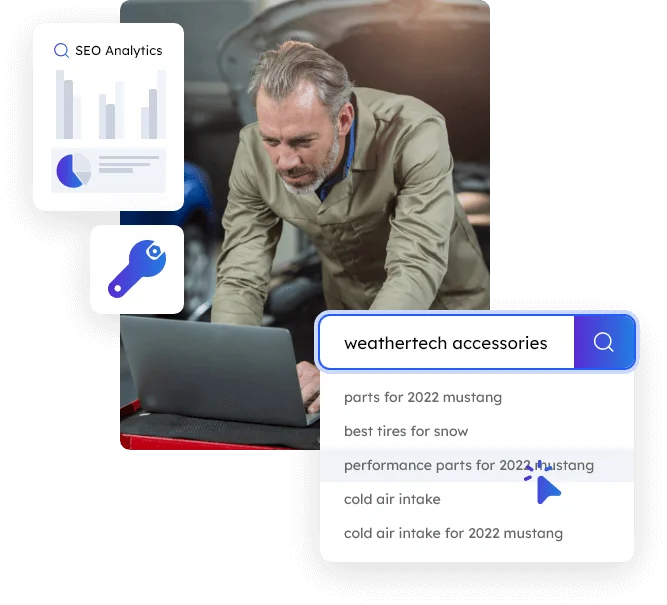
Grow Predictably with eCommerce SEO
& Search Marketing
The eCommerce market is crowded, and getting more expensive by the quarter. Our approach focuses on aftermarket eCommerce SEO and search marketing that drives qualified, high-intent traffic, then turns that traffic into customers with clearer online shopping paths, stronger trust signals, and conversion-focused UX.
Depending on your business model, aftermarket parts catalog complexity, and growth goals, we build a custom strategy that combines the right marketing elements with your site’s platform capabilities: fitment-first browsing with Year/Make/Model (YMM), better findability through PartsLogic Smart Search, and cleaner product data foundations via Data Services & Standards (ACES/PIES), so your growth compounds over time, not just during ad bursts.
To make performance measurable (and repeatable), we recommend establishing a solid SEO tracking foundation early. See Analytics & Tracking Readiness for GA4/GTM/Meta setup guidance.
25 Years
Industry Experience
1763
Brands Available
4.98/5.0
Satisfaction Rating
99.95%
Platform Uptime
SEO Without Smoke and Mirrors
If you’re serious about Aftermarket eCommerce SEO, you already know there’s no shortcut. Rankings come from technical fundamentals, catalog structure, content depth, and measurable improvements, not vague promises. That’s why we go beyond generic agency language and focus on what actually drives growth in fitment-first aftermarket commerce.
Most “SEO” fails because it’s vague: generic audits, unclear priorities, and reporting that doesn’t connect to revenue. We take a different approach: transparent eCommerce SEO with clear expectations, prioritized fixes, and reporting you can actually use.
For aftermarket parts and fitment-heavy catalogs, honest SEO also means doing the unglamorous work: indexation control, category/product template improvements, internal linking, mobile performance, and measurement foundations, so growth is durable and compounding. Whether you sell automotive parts, truck parts, diesel truck parts, powersports (ATV/UTV/SxS/motorcycle/snowmobile/PWC), retail parts, or run B2B, B2C, or hybrid commerce, the strategy is built around how your customers actually search, validate fitment, and buy. You’ll always know what we’re doing, why it matters, and what outcomes we’re targeting.
Aftermarket SEO & Marketing Services That We Offer
A full-funnel set of aftermarket eCommerce SEO and marketing services (from eCommerce SEO and on-site search optimization to PPC, social, CRO, and measurable tracking) built for complex catalogs and fitment-first buying. Designed to support automotive, truck, diesel, powersports (ATV/UTV/SxS/motorcycle/snowmobile/PWC), retail parts, and B2B, B2C, or hybrid commerce.
Our 6 Step Marketing Process
Let the eCommerce SEO and marketing experts at Web Shop Manager focus on achieving your business goals. Our process begins with the proven success process.
Strategy & Discovery (Fitment-First)
- Define goals, KPIs, and revenue targets (B2B/B2C/hybrid)
- Review catalog complexity: fitment/YMM, categories, attributes, brands
- Competitive + keyword research mapped to real buyer intent
- Audit current site: technical SEO, templates, internal linking, speed
- Prioritize a roadmap with quick wins + compounding initiatives
Build Visibility & Qualified Traffic
- Technical SEO + on-page optimization for category & product templates
- Content development to expand topical authority (hub + spoke)
- PPC (optional) for high-intent terms and campaign testing
- Social + promotional support that drives qualified visits
- On-site search discovery improvements (PartsLogic relevance signals)
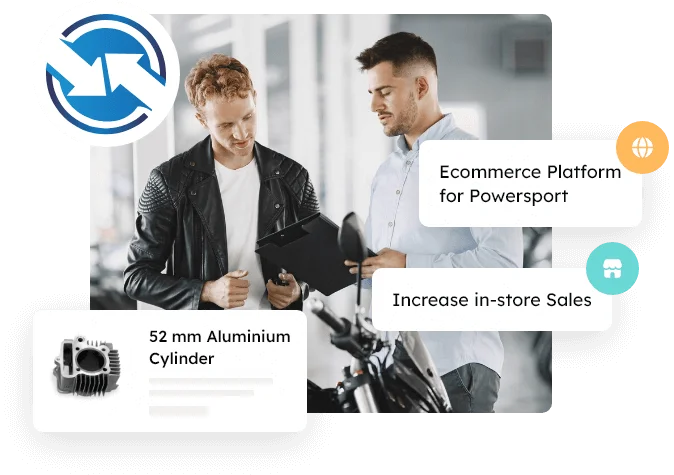
Convert Traffic into Orders
- Conversion-optimized UX for mobile-first shoppers
- Fitment confidence: clearer compatibility and “will this fit?” support
- Strong category and product pages (PDPs) content blocks, trust signals, and CTAs
- Landing pages aligned to intent (SEO + PPC)
- Reduce friction across navigation, search, and checkout paths
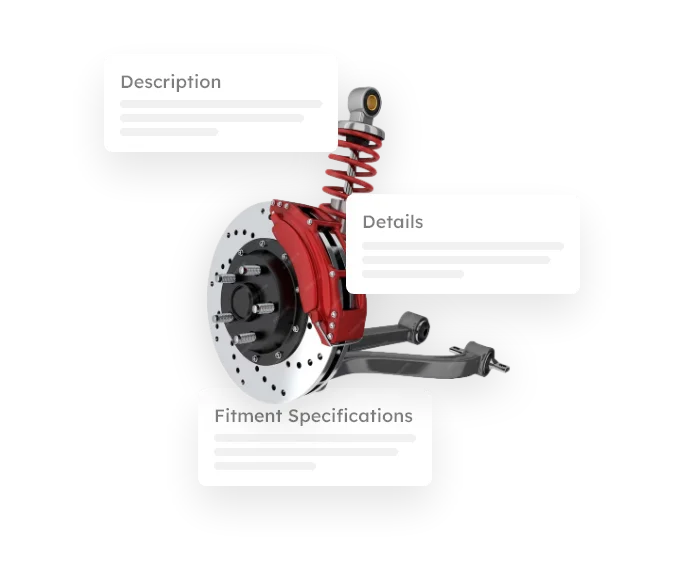
Measurement & Tracking Foundation
- GA4 + GTM event mapping aligned to funnels and revenue
- Track key actions: YMM selection, search usage, PDP views, add-to-cart
- Form + lead tracking (demo requests, calls, quote requests)
- Meta Pixel (and other tags as needed) for performance marketing
- Baseline dashboards for reporting and iteration
Learn, Optimize, and Expand
- Measure what’s working: rankings, traffic quality, conversion rate, AOV
- Identify SEO growth levers: indexation control, internal linking, templates
- Improve campaigns using attribution + query/page insights
- Expand content and landing pages based on real demand
- Ongoing CRO improvements tied to measured outcomes
Scale ROI with Continuous Improvement
- Iterate monthly: technical SEO, content, and conversion enhancements
- Scale winners across categories, brands, and vehicle types
- Improve search, navigation, and merchandising to lift conversion
- Strengthen trust layers (reviews/UGC) to increase CTR + CVR
- Transparent reporting and next-step roadmap every cycle

What Makes WSM’s Aftermarket eCommerce SEO Different?
Aftermarket SEO isn’t the same as generic retail SEO. Parts buyers search with higher intent, fitment requirements, and deeper catalog complexity, so rankings and conversions depend on getting the fundamentals right across data, templates, and shopping flows.
- Fitment-first intent (YMM): Help shoppers validate compatibility early, reduce wrong-part orders, and improve conversion confidence.
- Catalog SEO at scale: Category and product templates, internal linking, and indexation control for filters/facets, so Google understands your catalog without
- On-site search that converts: Search relevance, synonyms, and “no results” recovery matter, especially when shoppers don’t know exact part names. PartsLogic Smart Search helps shoppers find the right products faster.
- Gemini said Data readiness (ACES/PIES): Clean attributes and standards-driven product data create stronger pages, fewer thin listings, and better discoverability.
- Mobile-first performance: Speed, UX clarity, and Core Web Vitals impact both rankings and conversion, especially for high-volume category traffic.
eCommerce SEO for Aftermarket Catalogs
eCommerce SEO is how aftermarket buyers find you when they search by vehicle, category, brand, and part intent. For complex catalogs, winning organic traffic requires more than “keywords”: it requires strong site architecture, indexation control, and product/category templates that search engines can understand and shoppers can trust.
We build a customized, measurable SEO strategy for fitment-first aftermarket eCommerce, aligning content, technical SEO, and conversion improvements across YMM intent, on-site search behavior, and data readiness (ACES/PIES). The result is sustainable rankings that compound over time and support real revenue outcomes.
- Technical site architecture & crawlability
- Category + product page template optimization
- Faceted navigation & indexation control (filters)
- Internal linking strategy (hub-and-spoke support)
- Keyword + intent mapping (fitment-first queries)
- On-page SEO (headings, copy blocks, entities)
- Content development (category support + resources)
- Brand + vehicle-type landing pages (where relevant)
- Schema markup & rich results support
- Title tags & meta optimization
- Mobile-first performance & Core Web Vitals
- Image + script performance hygiene
- XML sitemaps + URL management
- Search Console + GA4 measurement foundation
- Web Shop Manager reporting & insights
- Landing pages for SEO + PPC alignment
- Trust signals (reviews/UGC) integration support
- Monthly progress reporting & iteration

Catalog SEO at Scale: Templates + Faceted Index Control
Aftermarket catalogs don’t fail at SEO because of “bad keywords”: they fail when search engines can’t efficiently crawl, understand, and prioritize thousands of category and product URLs. The biggest wins come from getting your templates, internal linking, and indexation rules right so your catalog grows without creating crawl waste or thin pages.
What we optimize for catalog-scale eCommerce SEO:
- Category + product templates that rank: Consistent headings, content blocks, attributes, and internal links that help both Google and shoppers understand what each page is about.
- Faceted navigation without index bloat: Filters are great for shoppers, but uncontrolled filter URLs can create thousands of low-value pages. We set indexation rules and canonicals so the right pages rank, without wasting crawl budget.
- Fitment-first intent support: Build pages and pathways that match how buyers search by vehicle, category, and compatibility, so traffic is qualified and conversion confidence is higher.
- Internal linking that compounds: Hub-and-spoke linking from platform pillars into category and resource content so authority flows to the pages that matter.
- Performance and mobile-first clarity: Template speed, layout stability, and UX consistency that support both rankings and conversion.
Pay-per-Click (PPC)
PPC captures high-intent aftermarket searches immediately, especially when shoppers are searching by category, brand, and “buy now” intent. It’s ideal for launching new categories, supporting seasonal demand, and testing which keywords and landing pages convert best.
We run PPC alongside Aftermarket eCommerce SEO so the two channels reinforce each other: PPC delivers fast visibility while SEO compounds over time, and PPC search-term data helps refine content, templates, and internal linking. Campaigns are built and optimized across Google Ads, Microsoft Advertising (Bing), and Shopping/Product Listings where applicable, tracked end-to-end so performance is tied to real outcomes.
- Ongoing testing of ad copy and messaging
- Keyword and search-term refinement (negative keywords included)
- Campaign and promotion updates (Ad Groups / audiences)
- Landing page alignment (SEO + PPC intent match)
- Budget and bidding optimization to lower cost per conversion
- Conversion tracking setup (GA4/GTM + call/form tracking)
- Monthly performance reporting with next-step recommendations
- Insights from PPC testing used to strengthen SEO strategy
Marketing Consulting
For eCommerce teams that want expert guidance without hiring a full in-house department, we provide custom consulting that connects strategy → execution → measurable results. This is especially valuable for aftermarket catalogs where SEO, data readiness, fitment-first shopping, and on-site search performance all influence conversion.
Our specialists act as an extension of your team, prioritizing what matters, identifying the highest-impact opportunities, and keeping your roadmap aligned to growth goals. You get recurring reporting, ongoing recommendations, and access to a broader set of marketing services, without guesswork or scattered tactics.
- Technical SEO priorities
- Site architecture & navigation
- Redirects & migrations
- Keyword + intent mapping
- On-page SEO guidance
- Category & product templates
- Internal linking strategy
- Content + blogging strategy
- Schema & rich results
- Indexation & filter control
- GA4 + Search Console
- WSM reporting insights
- Sitemaps & crawl health
- PPC + Shopping strategy
- Landing page strategy
- Conversion optimization support
- Social content alignment

Conversion Optimization
Driving traffic is only half the battle: your online storefront also needs to turn high-intent shoppers into confident buyers. For aftermarket eCommerce, conversion often hinges on clarity: helping shoppers quickly find the right products, validate fitment, trust the brand, and complete checkout without friction.
We build a conversion strategy tailored to your aftermarket catalog and customer segments (B2B, B2C, or hybrid), then prioritize improvements across templates, messaging, trust signals, and shopping flows, measured with real events and outcomes so gains compound over time.
- Define buyer segments & intent
- Clarify niche positioning & USP
- Improve navigation and search paths
- Strengthen fitment confidence messaging
- Optimize category + product templates
- Refine CTAs and microcopy
- Add trust and credibility signals
- Integrate reviews, testimonials & UGC
- Build “Why buy from us” section
- Reduce checkout friction
- Personalization (when relevant)
- Measure and iterate (GA4 events)
Analytics & Tracking Readiness
Marketing only gets better when it’s measurable. We help you build a clean tracking foundation so you can see what’s driving growth, and what’s not, across SEO, PPC, social, and on-site behavior.
This readiness work aligns GA4, GTM, and (when applicable) Meta Pixel events to the actions that matter most in aftermarket eCommerce, so reporting is consistent, optimization is faster, and ROI is provable.
We set up and validate:
- Funnel event tracking (product views, add-to-cart, checkout, purchases)
- Lead tracking (forms, calls, demo requests)
- Engagement tracking (site search usage, refinements, key navigation paths)
- Dashboards and reporting that tie activity to outcomes

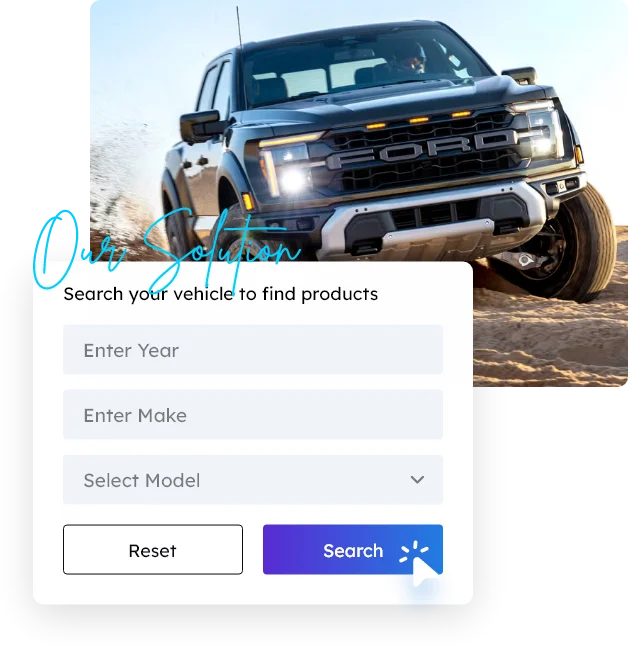
PartsLogic Smart Search Optimization (Search That Converts)
- Relevance tuning: better results ordering based on intent and behavior
- Synonyms + terminology mapping: parts language, abbreviations, and brand variations
- Autocomplete + guided discovery: faster paths from query to the right category/product
- Zero-results recovery: smart fallbacks, category suggestions, and merchandising
- Fitment-first alignment: reduce wrong-part clicks and improve purchase confidence
- Measurement: track search usage, refinements, CTR, add-to-cart, and revenue impact
Aftermarket eCommerce SEO &
Marketing FAQs
Quick answers to common questions about Webshop Manager SEO & Marketing
Aftermarket SEO has unique complexity: fitment intent (YMM), huge catalogs, faceted filters, and compatibility confidence. Winning requires strong templates, indexation control, internal linking, and data readiness so Google can crawl and understand the catalog while shoppers find the right parts fast.
Yes. We support fitment-first aftermarket eCommerce across automotive, truck parts, diesel truck parts, and powersports (ATV/UTV/SxS/motorcycle/snowmobile/PWC), including B2B, B2C, and hybrid business models.
Catalog SEO at scale focuses on category and product templates, internal linking, and indexation rules so your site can grow without creating thousands of low-value URLs. It prevents crawl waste and helps the right pages rank.
Filters are great for shoppers but can create index bloat. We implement indexation controls and canonical logic so search engines prioritize the best category/landing pages while still allowing shoppers to refine results.
On-site search influences engagement and conversion, especially when buyers don’t know exact part terms. Improving relevance, synonyms, autocomplete, and zero-results recovery helps shoppers find products faster and increases conversion from high-intent traffic.
Yes. We align content and site structure to fitment-first intent so shoppers can validate compatibility early, reducing wrong-part orders and improving conversion confidence.
Cleaner product data and standardized attributes create stronger product and category pages, reduce thin content, and improve discoverability. Data readiness also supports better filtering, merchandising, and fitment clarity.
Yes. Mobile-first UX and performance improvements (speed, layout stability, interaction responsiveness) support both rankings and conversion, especially for high-volume category traffic.
We build a measurement foundation using GA4, GTM, and (when applicable) Meta Pixel so key actions like search usage, YMM selection, add-to-cart, leads, and revenue can be tracked and reported consistently.
Many sites see early movement after technical fixes and template improvements are deployed. Results compound over time as content depth, internal linking, and measurement-driven iteration mature.

Ready To Grow Your Business?
Ready to grow your aftermarket eCommerce presence and lift conversions across auto, truck, powersports, marine, and more? Connect with
Web Shop Manager for tailored solutions: strategy, platform, and performance in one team.
Social Media
Social media supports aftermarket eCommerce growth when it does three things well: build demand, earn trust , and amplify content that buyers actually search for. It’s especially effective for launches, seasonal promotions, install/fitment education, and community-driven content that strengthens brand credibility and improves conversion.
We help you choose the right platforms, build a practical publishing plan, and align social content with your SEO and conversion goals, so posts don’t just “get likes,” they drive qualified visits, support product discovery, and reinforce trust signals across category and product pages.