Jan 30, 2022 | 6 Min Read
Want to know what your Customers are thinking? Ask Them!
Creating a survey allows companies to gain insight about their customers they otherwise would not have. Surveys can be short or long, all fill in the blank, or a combination of many question types. Asking the right questions will determine the type of data that is obtained for further analysis. Develop the questions to ensure your goals and objectives are met. Imagine how helpful it would be to have answers from your site visitors to the following:
- What suggestions do you have for product offerings?
- What features would you like to see added to our site?
- Would a coupon entice you to purchase from us?
- How satisfied have you been with previous purchases?
- How often do you visit the site?
- How likely are you to recommend this site to others?
- How did you first hear about this site?
How do you determine Which Type of Survey Question to ask?
Web Shop Manager™ (WSM™) provides an eCommerce Interactive Survey module that allows you to capture data to analyze, and to make improvements based on the findings. After all, if you collect the data and do nothing with it, you are wasting valuable information. Using customer feedback is a powerful tool to quantify customer satisfaction and generate new business ideas. Different question types generate very different types of data. WSM™ allows the following types of questions:
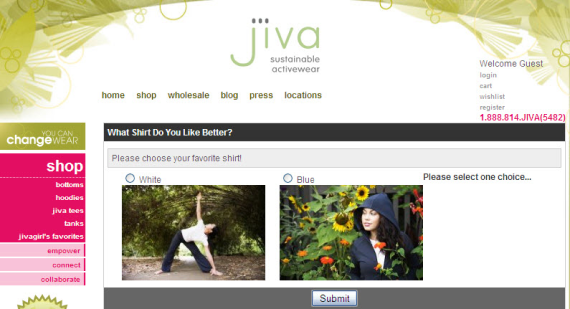
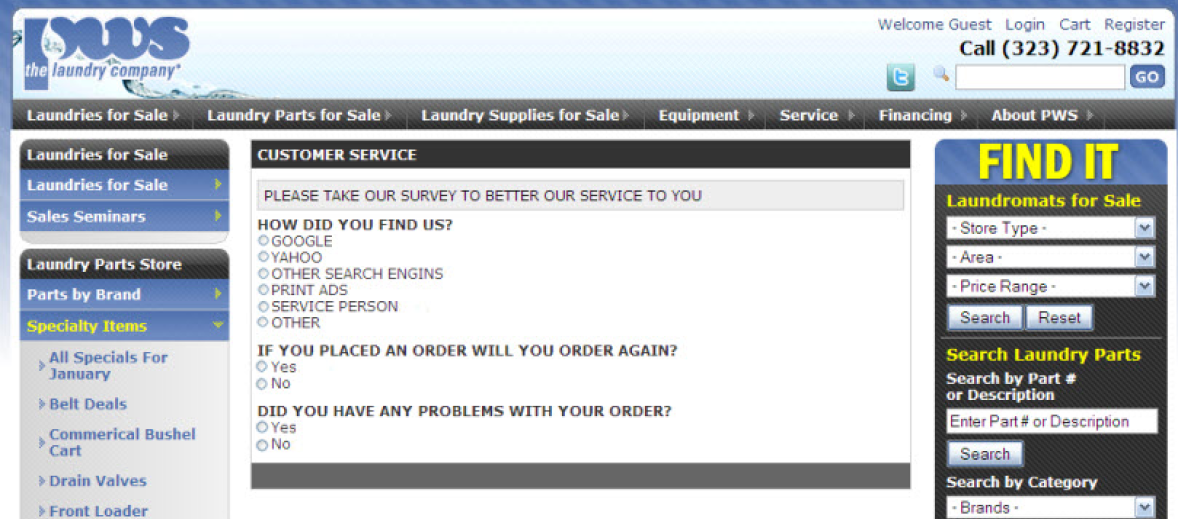
Yes or No – Limiting the number of choices means data will be very focused and simple to asses. An example of a good “yes or no” question would be “Did you have any problems with your order?”
- What suggestions do you have for product offerings?
- What features would you like to see added to our site?
- Would a coupon entice you to purchase from us?
- How satisfied have you been with previous purchases?
- How often do you visit the site?
- How likely are you to recommend this site to others?
- How did you first hear about this site?
True or False – This type of question is very similar to “yes or no” but can be used for a different type of question. Using this option depends on wording. Is it a question or a statement? For example, “The Live Chat feature was helpful in making my decision.” The answer would make sense in a true or false response.
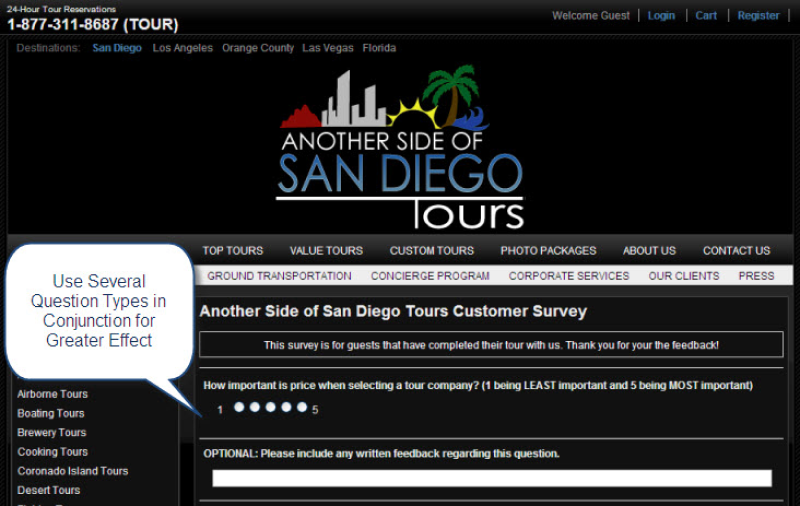
Range – Range questions help determine user sentiment more than a simple “yes or no” question could. For instance, you could ask “On a scale of 1 to 5, 5 being most likely, how likely are you to recommend this site to others?”
Fill in the Blank – Customer feedback is invaluable information to have and can save you time and money in product development, site improvements, and warehousing fees if you do some research ahead of time. “Fill in the blank” questions are open ended and will provide more than a black and white “yes or no” question could. This could also be a follow up question in your survey. You could ask, “If you are not likely to recommend our site to others, what could we improve to make your experience more enjoyable?” This is an example when any other type of question would fall short of accomplishing the objective. In this example “Range” and “Fill in the Blank” have been used in conjunction to meet the objective. Combining questions will allow you to dial in on exactly what customers are looking for.
Creating Meaningful Surveys
Spend some time to craft a survey that is easy to complete for site visitors, but will provide you with the kind of information you are looking for. Surveys can be a few questions or many. Once you have crafted the questions and determine how you want to ask the questions it is time to create your Interactive Survey in your WSM™ dashboard.
To access the survey module click Modules, and then Surveys.
The first time a Survey is created, you will see the following message.
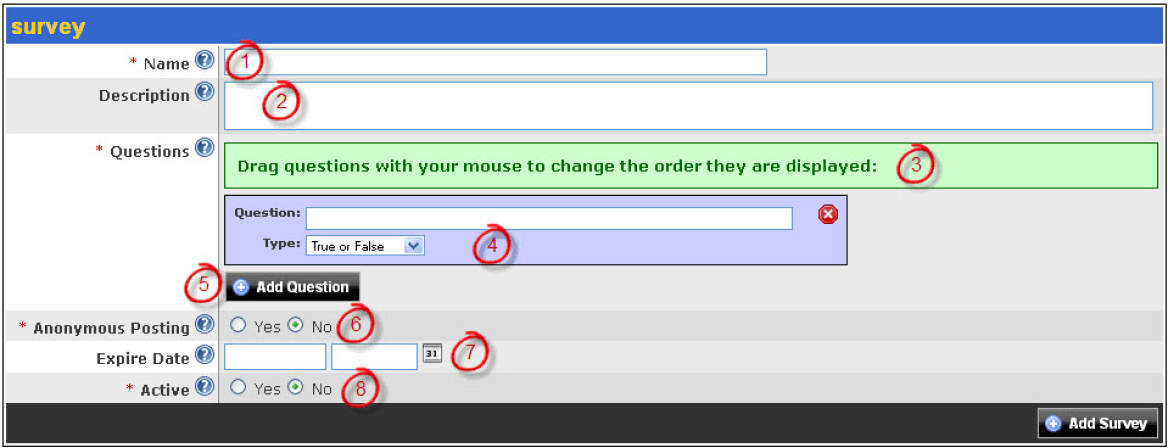
- Name – Name of the survey. This name will appear at the top of your Survey Form.
- Description – Provide a description of the survey, or what you customer will receive if they take the survey.
- Ordering Message – Drag questions with your mouse to change the order they are displayed. Once you have created more than one question, click and drag to specify the order.
- Questions – Create questions for your survey. To delete a question, click the red X icon. You can create 5 types of questions: Yes or No, True or False, Range, Multiple Choice, and Fill in the Blank.
- Add Question – Click this button to add another question to the survey.
- Anonymous Posting – If you select Yes, you will allow users to answer questions without logging in.
- Expire Date – The date on which the survey will no longer be visible.
- Active – If the survey is not active, it will not be visible.
Adding the Survey to your Site
There are (2) ways to add the survey to the site.
- Link to the survey from any site page. Click the View icon to get the URL for the survey. You can then copy and paste it as a link in the content of any site page. When the viewer clicks the link, they will be taken to a page with the Survey questions.
- Embed within an existing site page or template. Type the following where you want the survey to appear: where the id is the id for the survey. When this is complete, view the page so you can see how the survey appears on your page.
Viewing the Results of your Survey
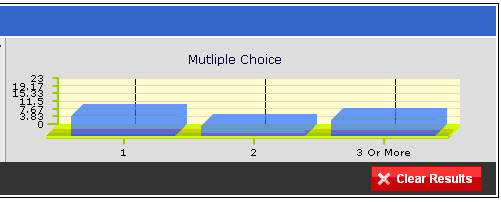
Once a viewer has submitted a survey, you can view the results by clicking the icon from the Modules/Survey page. An example of a survey result is shown below.
Making Sense of Survey Data
Gathering information is only helpful when analysis is done to interpret the data. Thoughtfully discuss the findings with all members of the team and use the data to make informed decisions.
Are you ready to but the Interactive Survey Module to use for your eCommerce site? It all starts with your free web design quote.
Get more from Web Shop Manager in Google Search:



Get in touch with us
Reach out to us for any inquiries or support, and let’s connect!


More On Related Topic
Explore our highlighted blogs for the latest insights and trends in the industry.
How to Keep Your eCommerce Store Fast: Maintaining Page Speed and Core Web Vitals
A fast store is not a one-time launch number you hit and forget: it is something you maintain. At Web Shop Manager we don’t take a store live below a 90 PageSpeed score, but...
How to Get Your E-Commerce Store to a Near-Perfect Mobile PageSpeed Score (Without a Redesign)
A heavy site just scored a perfect 100 across the board on Google PageSpeed Insights. Big Dog Auto is not a lightweight storefront. Deep catalog, thousands of SKUs, fitment data, images, the kind of...

Ready To Grow Your Business?
Ready to grow your aftermarket eCommerce presence and lift conversions across auto, truck, powersports, marine, and more? Connect with
Web Shop Manager for tailored solutions: strategy, platform, and performance in one team.